
A WordPress site can look completely finished and still be losing revenue before a visitor reads the first paragraph. The counterintuitive part is that the problem often isn’t the visual design. It’s the combination of slow server-side execution, unstable layouts, excessive scripts, weak templates, and an editing system that prevents the marketing team from improving the page after launch.
WordPress remains a major commercial web foundation. In July 2026, W3Techs reported that WordPress was used by 58.8% of websites with a known content management system and 40.2% of all websites. That scale creates a practical advantage, but it also creates a trap. Teams can launch quickly with familiar tools, then accumulate plugins, page-builder markup, inconsistent templates, and performance debt that gradually damages search visibility and conversion efficiency.
Table of Contents
- Why WordPress Still Dominates Website Design & Development in 2026
- Choosing Between Themes, Custom Builds, and Headless WordPress
- Engineering Performance and SEO Into the Core Build
- Treating Speed and Stability as a Revenue Decision
- Designing CRO-Ready Templates and Landing Pages
- Deployment, Maintenance, and AI-Era Governance
- A Phased Roadmap From Launch to Scale
Why WordPress Still Dominates Website Design & Development in 2026
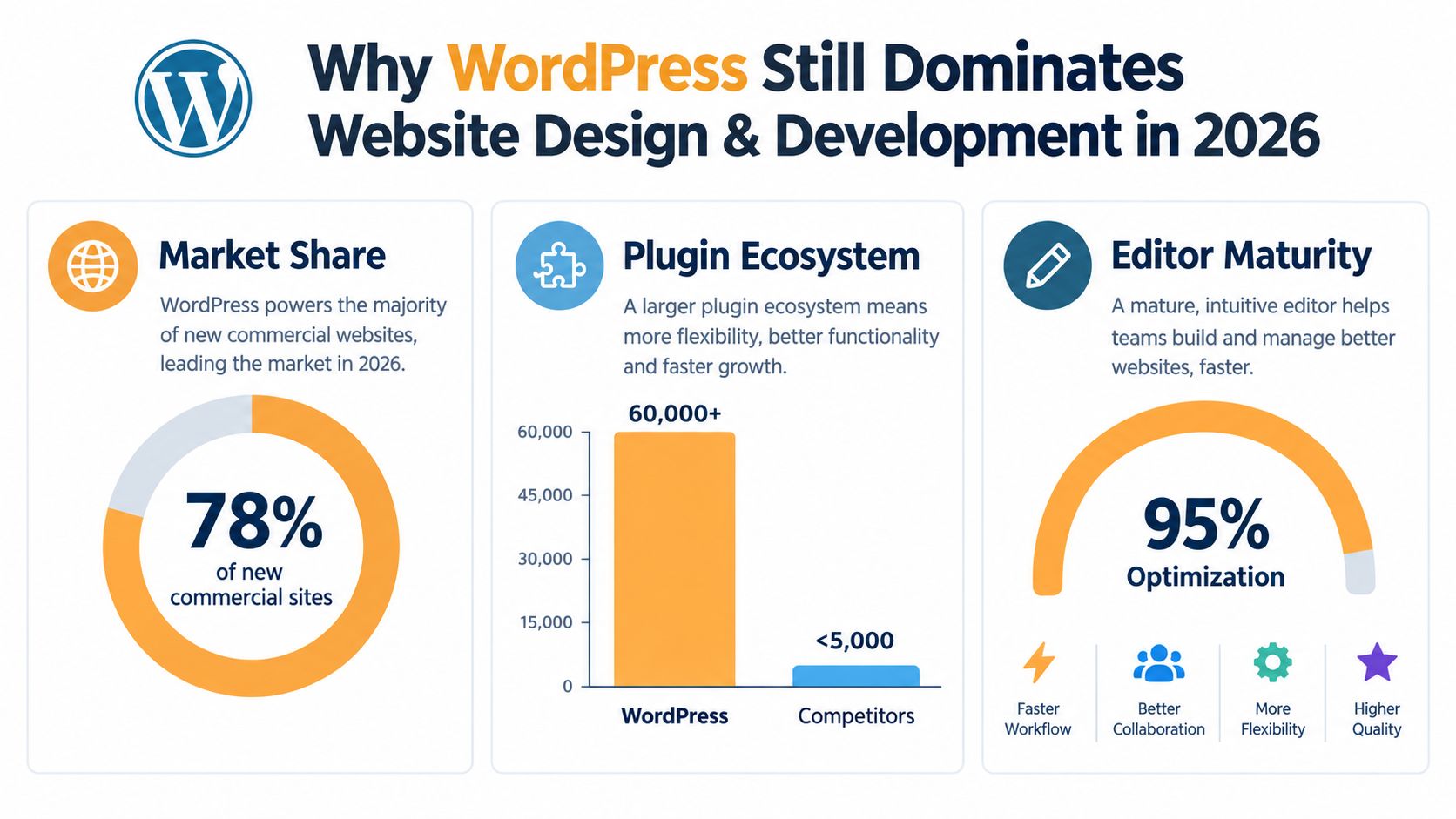
WordPress wins because it combines a mature editor, a broad development ecosystem, and a content workflow that most commercial teams can operate without engineering support for every change. The platform began in 2003, and WordPress’s official history describes its evolution from a blogging project into a broader web platform. WordPress 1.0 introduced plugin architecture in 2004, while version 1.5 had 50,000 downloads in early March 2005, doubling to 100,000 three weeks later, according to the same historical record.
That history matters because a website is an operating asset, not a brochure that gets filed away after launch. Editors need to publish pages, update offers, add proof, revise product information, and create campaign landing pages without waiting for a developer. Developers need a stable foundation for custom functionality, integrations, templates, and performance work. WordPress gives both groups room to work, provided the build has clear boundaries.
Design and development solve different problems
Website design should determine how a visitor understands the offer, evaluates trust, and reaches the next step. It covers information architecture, page hierarchy, messaging, visual emphasis, form friction, and the placement of evidence. Website development should make that experience fast, accessible, measurable, secure, and maintainable.
A polished hero section can’t rescue a checkout that breaks on mobile. A technically clean theme can’t compensate for a vague value proposition or a call to action hidden below irrelevant content. The commercial result comes from treating the two disciplines as one system.
Block-based editing makes that system more adaptable, but flexibility without governance creates inconsistency. Teams need approved patterns for hero sections, buttons, testimonials, pricing modules, forms, and structured content. AI-assisted tools increase the speed at which teams can generate blocks, pages, and content, but they also increase the need for review, version control, accessibility checks, and ownership.
Practical rule: Give editors freedom inside a designed system. Don’t give them unlimited freedom to redesign the system on every page.
The right WordPress approach therefore starts with business constraints. A small service company may need a lightweight block theme and fast publishing. A regulated healthcare organization may need stricter approvals and controlled components. A DTC brand may need reusable campaign templates, product merchandising logic, and reliable analytics. Teams comparing WordPress with other platforms can use this WordPress versus Webflow comparison to clarify the ownership and workflow trade-offs before choosing a stack.
Choosing Between Themes, Custom Builds, and Headless WordPress
The correct build path depends less on what a platform can do than on who will maintain it, how distinctive the conversion experience must be, and how much operational complexity the business can support.
Theme-based builds favor speed and editorial autonomy
A quality premium theme or block-based starter site works well when the business needs to publish quickly, the page types are conventional, and internal editors need control. A well-configured block theme can provide reusable patterns, global styles, responsive layouts, and constrained design choices without forcing every content update through a developer.
The trade-off is differentiation. A theme can make a site look professional, but it often makes it resemble other sites using the same foundation. Theme settings may also introduce unused styles, scripts, or layout assumptions that are difficult to remove. The theme wins when time to market and editor autonomy matter more than complete control over markup and interaction design.
Custom builds earn their cost when the funnel is distinctive
A custom theme or custom block starter becomes justified when the site needs bespoke landing-page structures, advanced content relationships, unusual product journeys, or a design system that can’t be expressed cleanly through a generic theme. Developers can control the rendered HTML, load only the necessary assets, define block variations, and connect structured fields through tools such as Advanced Custom Fields when the content model requires them.
Custom doesn’t mean every component should be invented from scratch. The strongest builds reuse WordPress conventions where they work, then customize the parts that influence conversion, search discovery, editorial safety, and performance. A custom build is a poor choice when the team lacks a maintenance owner or when the business hasn’t yet established a stable offer and information architecture.
Headless adds power and responsibility
Headless WordPress separates the content management system from the visitor-facing application. A frontend built with a framework such as Next.js or Astro can support app-like interactions, multiple content destinations, or edge-rendered delivery. That architecture can be valuable for organizations distributing content across websites, applications, kiosks, or other channels.
It also creates more systems to monitor. Preview workflows, authentication, cache invalidation, deployment pipelines, SEO rendering, analytics, and editorial previews all need deliberate implementation. A marketing team may lose the simple relationship between editing a page and seeing the finished result.
| Build Path | Best For | Trade-Off |
|---|---|---|
| Theme or block starter | Conventional sites, early-stage teams, rapid publishing | Less control over differentiation and underlying markup |
| Custom theme or custom blocks | Distinctive brands, complex funnels, bespoke templates | Higher build cost and greater need for technical ownership |
| Headless WordPress | Multi-channel content, application-like experiences, dedicated frontend teams | More infrastructure, preview complexity, and maintenance responsibility |
| Hybrid WordPress backend with static or edge-rendered frontend | Sites needing editorial control with selective frontend performance gains | Requires careful integration between content publishing and delivery |
A practical decision rule is simple. Choose a theme when the business needs a reliable publishing tool. Choose custom when the page architecture directly affects revenue and the team can maintain it. Choose headless only when multi-channel delivery or frontend requirements justify the operational burden. If only a few high-value pages need exceptional speed, a hybrid approach may solve the problem without turning the entire site into a distributed application.
Engineering Performance and SEO Into the Core Build
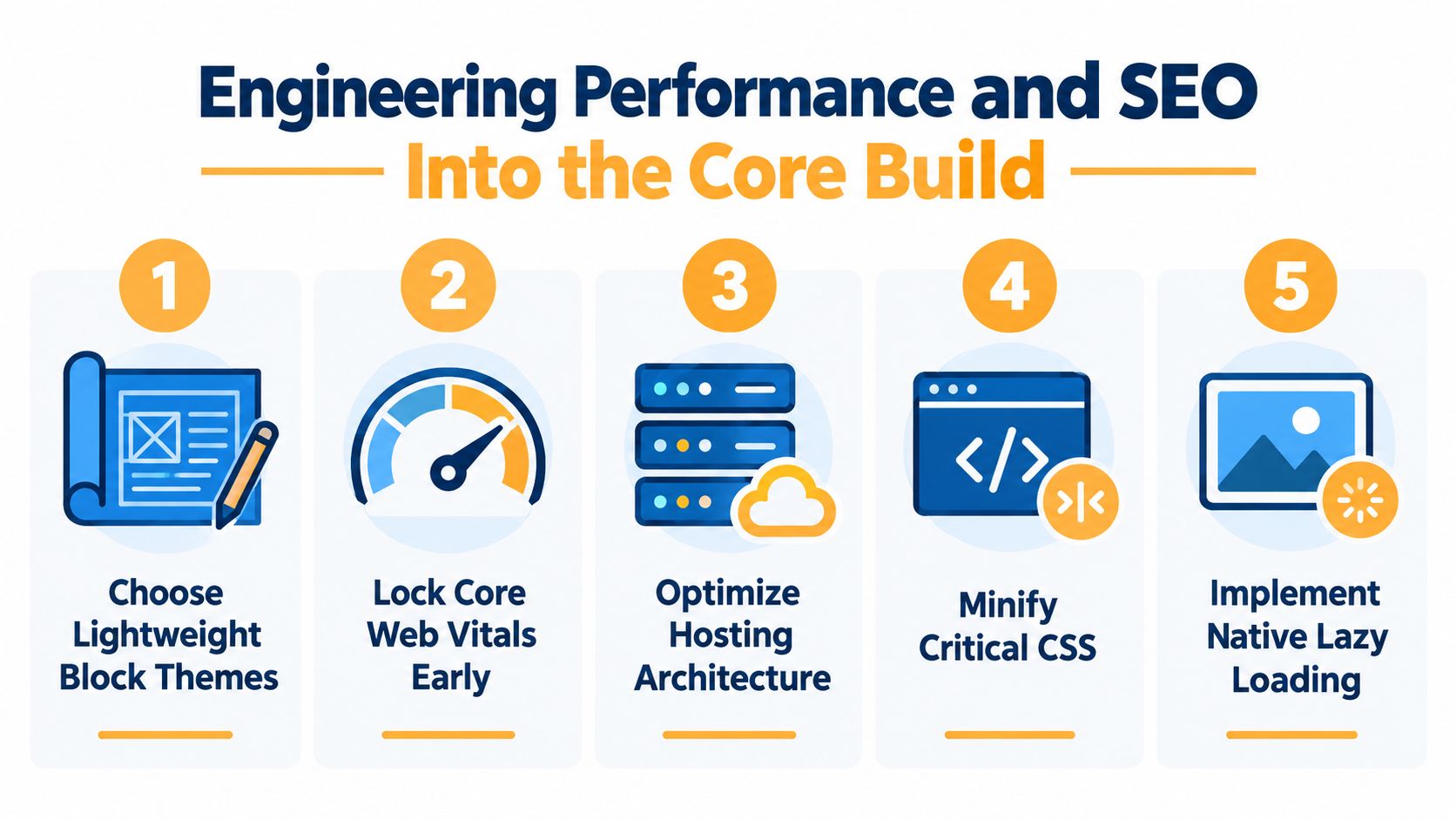
Performance shouldn’t be a launch-week rescue project. Theme selection, hosting, image handling, JavaScript loading, and rendering architecture determine much of the outcome before a designer finishes the visual polish.
Google’s field-data thresholds define a “good” Core Web Vitals experience as Largest Contentful Paint under 2.5 seconds, Interaction to Next Paint under 200 milliseconds, and Cumulative Layout Shift at or below 0.1, as summarized in this WordPress Core Web Vitals guidance. Treat those thresholds as engineering requirements, not suggestions for a later audit.
Start with the rendering path
Use a lightweight block theme or remove the framework features the project doesn’t need. Avoid loading a complete icon library, animation package, slider system, and form framework on pages that use none of them. Defer non-critical JavaScript, keep third-party tags accountable, and self-host fonts when that improves control over loading and privacy.
Images deserve equal attention. WordPress should output responsive image sizes, and high-value templates should use the picture element when art direction or modern formats require it. Reserve dimensions for media so the browser can allocate space before the asset arrives. Native lazy loading helps below-the-fold content, but the primary hero image should not be lazily loaded if it determines LCP.
PHP runtime choice also affects server-side generation. Kinsta’s benchmark testing recorded WordPress throughput rising from 139.06 requests per second on PHP 7.4 to 148.22 on PHP 8.4 and 148.30 on PHP 8.5. That is roughly 6.6% higher throughput on the fastest tested versions, so keeping the runtime current can improve page generation without changing the content layer.
Build SEO into the data model
Technical SEO belongs in templates and deployment rules:
- Permalinks: Use stable, readable URL structures that reflect the information architecture.
- Schema: Generate controlled structured data from known fields instead of allowing every plugin to output overlapping markup.
- Sitemaps: Include indexable content and exclude thin, private, duplicate, or utility URLs.
- Canonical handling: Define canonical behavior for archives, filtered pages, pagination, and syndicated content.
- Rendering: Ensure important text, links, metadata, and structured content are available in server-rendered HTML where appropriate.
- Internal links: Create reusable related-content and contextual-link patterns so important pages aren’t isolated.
Caching should operate in layers. A page cache handles repeat document requests. Object caching reduces repeated database work. Edge caching brings eligible assets and documents closer to visitors. These layers need rules for logged-in users, personalized content, cart states, and invalidation after publishing.
Before launch, add the Core Web Vitals thresholds to the deployment checklist. Every significant release should be tested with representative templates, real content, mobile conditions, and field monitoring. A technical SEO audit checklist can help teams catch crawl, metadata, rendering, and internal-linking failures that a visual review won’t reveal.
Treating Speed and Stability as a Revenue Decision
A performance metric matters commercially when it changes what a visitor can do. LCP affects how quickly a person sees the offer. INP affects whether a person can interact with navigation, filters, forms, or checkout controls. CLS affects whether the interface moves while a person is trying to read, click, or submit.
The business shouldn’t optimize every page equally. A blog archive, an editorial article, a product detail page, a lead-generation landing page, and a checkout step have different commercial roles. The page closest to the transaction deserves the strictest performance review because a delayed interaction there can interrupt an otherwise qualified visitor.
Connect the signal to the funnel
A slow hero section can delay comprehension at the top of the funnel. A late-loading form can reduce completed inquiries. A layout shift that moves the primary button can create misclicks, especially on mobile. A blocked interaction on a product filter can keep shoppers from reaching the items that match their intent.
The impact also extends to paid acquisition. When a campaign sends expensive traffic to a slow or unstable page, the media team pays to create visits that the website fails to process efficiently. Performance doesn’t replace offer quality, targeting, or creative testing, but it can determine how much value the business extracts from each qualified visit.
| Performance Signal | Funnel Stage Affected | Measured Revenue Impact |
|---|---|---|
| Slow LCP | Ad landing pages, service pages, product pages | Compare engaged visits, form starts, add-to-cart actions, and assisted conversions before and after optimization |
| High INP | Navigation, filtering, forms, checkout | Compare interaction completion, error rates, and progression to the next funnel step |
| High CLS | Content pages, landing pages, checkout | Compare primary CTA clicks, form completion, and misclick-related support or analytics events |
| Weak mobile responsiveness | Every mobile acquisition path | Compare mobile conversion efficiency, paid campaign quality, and revenue per qualified session |
| Unstable third-party scripts | Forms, personalization, analytics, checkout | Compare script-related errors, attribution completeness, and completed transactions |
Don’t promise a universal revenue lift from a particular speed change. The outcome depends on intent, device mix, offer strength, traffic quality, margins, and funnel friction. Instead, define the commercial event first, establish a baseline, then measure whether the optimization changes that event.
A useful prioritization model scores each performance task by traffic importance, funnel proximity, technical effort, and margin exposure. Improving a high-traffic homepage may matter less than stabilizing a campaign page that receives qualified visitors and contains the primary form. Lighthouse scores can support diagnosis, but they shouldn’t be the only reason a sprint gets funded.
Designing CRO-Ready Templates and Landing Pages
A pretty template gives editors colors, spacing, and content areas. A CRO-ready template gives them controlled ways to change the message, test the offer, record interactions, and learn from results.
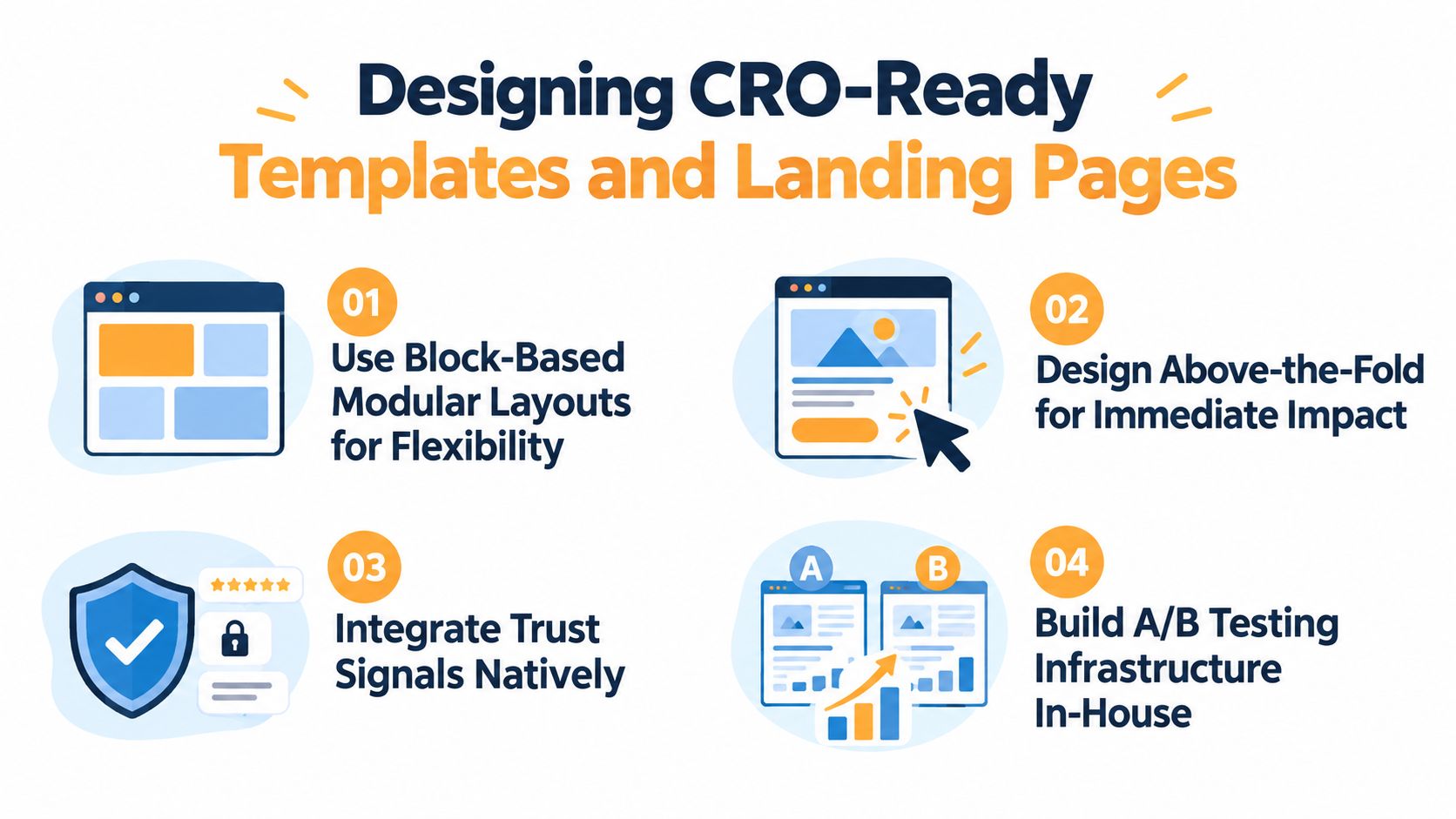
The block editor is well suited to this when developers define the right boundaries. Create modular sections for the hero, supporting proof, feature comparison, testimonials, objection handling, FAQs, and calls to action. Each block should have a clear purpose, sensible content limits, responsive behavior, and analytics events that remain consistent when editors rearrange the page.
Build for message changes, not just layout changes
Marketing teams frequently need to change a headline, offer, CTA label, proof point, or form introduction. If those elements are buried in a custom template or require a developer ticket, the site becomes a bottleneck. Expose the variables that marketers legitimately need to control, while keeping markup, accessibility behavior, tracking, and brand styles protected.
A landing-page template should answer basic questions before it reaches production:
- What is the visitor being asked to do? The primary action must be visually and semantically clear.
- Why should the visitor trust the offer? Place relevant proof near the decision point, not only in a distant footer.
- What information is necessary? Keep forms aligned with the value of the conversion and make mobile completion straightforward.
- What can the team test? Separate headline, hero image, CTA treatment, proof module, form arrangement, and offer framing so one change doesn’t alter the entire page.
- What gets tracked? Instrument views, CTA clicks, form starts, validation errors, submissions, purchases, and meaningful downstream events.
Add experimentation hooks to the template layer
A/B testing infrastructure doesn’t need to dictate every design decision, but templates should provide stable locations for experiments. A hero block can support alternate headlines. A CTA component can accept a campaign-specific label and destination. A proof block can rotate approved testimonials or case-study excerpts without editors duplicating entire pages.
Dynamic text replacement and personalization tokens require safeguards. Define where they can appear, what happens when a value is missing, and how the resulting copy remains accessible and understandable. Don’t let an experiment create a page with a mismatched headline, broken grammar, or a promise that the destination page doesn’t support.
Teams can use a controlled landing page split-testing process to connect template changes with analytics and decision rules. The build checklist should include headline variants, modular CTAs, mobile form behavior, proof placement, event naming, consent handling, and a documented owner for interpreting results.
Deployment, Maintenance, and AI-Era Governance
Launch is the first operational test of a WordPress website, not the end of development. A release that improves the homepage while breaking a form, cache rule, product feed, or analytics event has reduced the site’s commercial value even if the new design looks better.
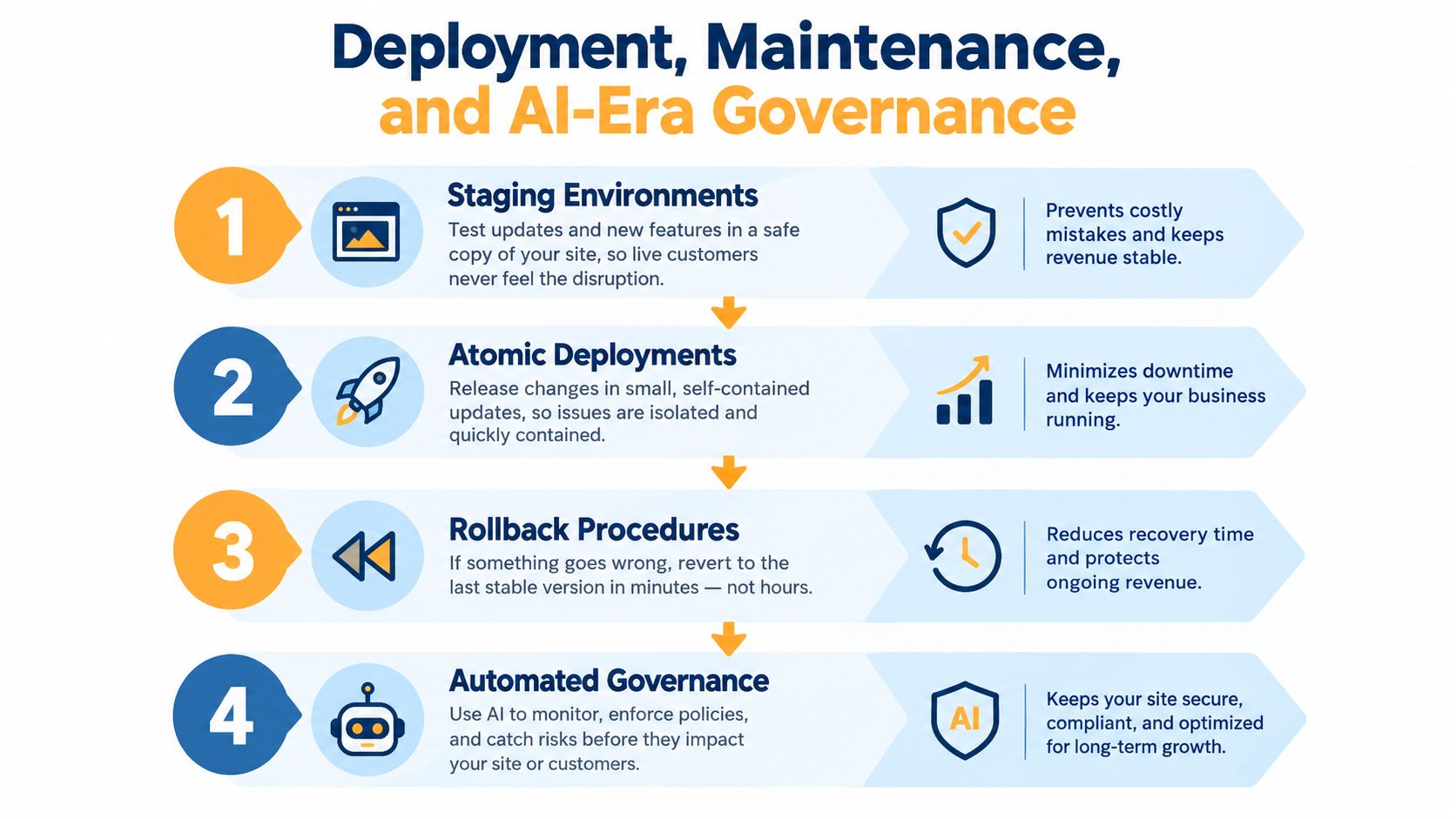
Use a staging environment that mirrors production behavior closely enough to test plugins, forms, integrations, templates, and caching. Deploy related code changes as a coherent unit, keep database and content changes coordinated, and maintain a rollback path that the team has already tested. A rollback plan that exists only in a document won’t protect revenue during a late-night incident.
Control the maintenance surface
Plugin sprawl creates more compatibility risk, more update work, and more uncertainty about which component caused a regression. Give every plugin a documented purpose, an owner, and a replacement or removal review. Keep WordPress core, themes, and plugins updated through a tested process rather than treating automatic updates as a complete maintenance strategy.
A practical operating rhythm might look like this:
- Weekly: Review uptime, form submissions, critical errors, failed jobs, and security alerts.
- Monthly: Test priority journeys, review plugin changes, inspect performance trends, and verify analytics events.
- Quarterly: Audit templates, remove unused assets, review search indexation, test recovery procedures, and reassess the content model.
Treat AI as a governed production tool
AI can help generate content blocks, page drafts, translations, component suggestions, and code edits. Speed is useful, but unreviewed output can introduce incorrect claims, inaccessible markup, inconsistent brand language, duplicated content, or unsafe code.
Set rules before enabling AI in production workflows. Store code in version control. Require human approval for published content and component changes. Validate generated markup through accessibility and performance checks. Maintain approved terminology, claims, tone, image guidance, and prohibited content. For regulated organizations, assign responsibility for compliance review rather than assuming a tool understands the organization’s obligations.
AI should accelerate a controlled system, not become an undocumented author, developer, and publisher with production access.
The same principle applies to auto-translated pages and plugin-recommended edits. Preview the result, compare it with the design system, test the relevant conversion path, and record who approved the change. Governance protects the value created by the original build because it keeps faster production from becoming faster technical debt.
A Phased Roadmap From Launch to Scale
A revenue-focused WordPress project should move through clear gates rather than treating design approval as the main definition of progress.
Phase one establishes the commercial foundation
Document the audience, offer, conversion events, information architecture, content types, and ownership model. Decide between a theme, custom build, hybrid architecture, or headless approach before visual production expands. The exit checkpoint is an approved sitemap, content model, design-system direction, and build decision with named technical and editorial owners.
Phase two hardens the platform
Build templates, structured data, internal-linking patterns, image behavior, caching, analytics foundations, and Core Web Vitals controls before final polish. Test representative pages with real content, not empty placeholders. The exit checkpoint is a crawlable staging site with working metadata, forms, tracking, responsive behavior, and documented performance targets.
Phase three creates a learning system
Launch modular landing-page templates with controlled headline, CTA, proof, and form variations. Confirm that analytics records meaningful funnel events and that the team can publish campaign changes without damaging the system. The exit checkpoint is a prioritized experimentation backlog, validated event tracking, and an agreed process for interpreting results.
Phase four protects compounding value
Assign weekly monitoring, monthly maintenance, and quarterly audits. Review plugins, security patches, search health, conversion paths, content quality, and AI-assisted workflows under the governance rules established earlier. The exit checkpoint is operational ownership, tested recovery procedures, documented approvals, and a roadmap tied to business priorities rather than isolated design requests.
A WordPress site scales well when every new page, plugin, and experiment strengthens a repeatable system. It scales poorly when each request adds an exception that nobody owns.
Excellorix helps organizations plan and build WordPress websites, landing pages, SEO foundations, analytics, and conversion workflows around measurable growth goals. Visit Excellorix to discuss a performance-led website build or a practical optimization plan for an existing WordPress site.