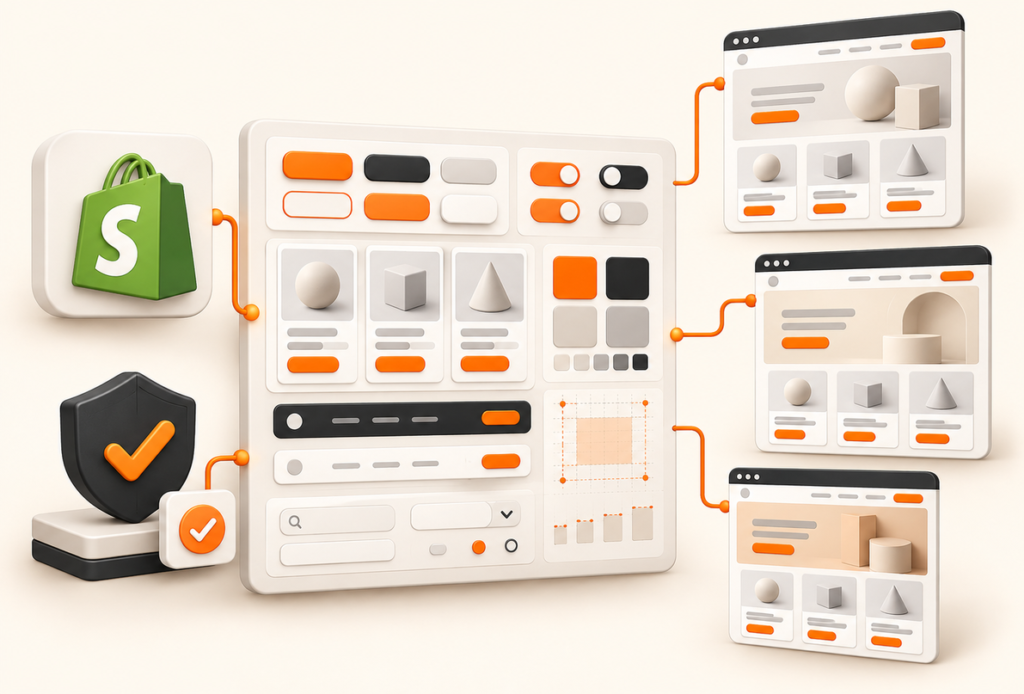
You know the moment. The storefront is polished enough, the checkout has been tweaked three times, the POS team uses one set of UI patterns, and the embedded app your ops team relies on looks like it belongs to a different company. Someone notices there are three different cart buttons, two spacing systems, and no shared answer to a basic question like what a “primary action” should look like across surfaces.
That’s when a Shopify design system stops being a design-team nice-to-have and becomes an operating decision. If every new page, block, extension, and campaign landing page starts with fresh UI arguments, the team stays busy while revenue work slows down. The fix isn’t another Figma cleanup. It’s a system that ties brand consistency to performance, conversion, and migration decisions that can survive real Shopify complexity.
Table of Contents
- Why Your Shopify Store Needs a Real Design System
- Foundations That Actually Move Metrics
- Building a Component Library Your Team Will Actually Use
- Theme Architecture Choices and Trade-offs
- Developer Handoff Without the Spaghetti
- Checkout Components Built for Conversion
- Governance, Versioning, and the Polaris Migration Question
Why Your Shopify Store Needs a Real Design System
A real Shopify design system isn’t a moodboard, and it isn’t just a component page in Figma. It’s the shared set of rules that connects storefront templates, checkout interactions, admin workflows, embedded apps, and customer-facing account experiences.
What changes when the system becomes real
The shift usually starts when a brand scales past one surface. A founder sees visual drift, but the deeper problem is operational drift. Designers solve the same problem twice. Developers rebuild the same button state in Liquid, React, and whatever app layer the team chose six months ago. Marketers request quick campaign changes, and each change opens a new round of design decisions.
Shopify’s release of Polaris in 2017 matters because it formalized this exact idea, a shared standard rather than an internal UI toolkit. Shopify made its style guide, component library, and UI kit available to partners so teams could build experiences that felt consistent with Shopify itself, instead of recreating patterns from scratch each time, as described in Shopify’s announcement about getting the most out of Polaris. That’s why Polaris became more than a visual reference. It combined principles, reusable components, documentation, and implementation guidance.
If you want a useful outside perspective on how Shopify themes stay consistent, Presidio’s write-up on how Shopify themes stay consistent is a practical companion to this discussion.
Practical rule: If your team can’t answer where the source of truth lives for buttons, forms, cards, and spacing, you don’t have a design system yet. You have design assets.
Why this matters to founders and growth leads
The business value shows up fast, even before you measure anything numerically. New team members onboard faster because they inherit decisions instead of reopening them. Engineering rework drops because states and variants are documented once. Merchants get a more coherent brand experience because the same interaction language carries from discovery to purchase to post-purchase workflows.
This is also the point where design starts behaving like infrastructure. For growing brands, that’s usually the difference between “we need a redesign” and “we need a system that supports the next year of launches.” A good example of that broader operational shift appears in Excellorix’s perspective on what growing online stores need beyond a basic Shopify setup.
The definition worth using
A Shopify design system is a reusable decision framework for brand, UI, accessibility, and implementation across Shopify surfaces. It should reduce one-off work, preserve consistency, and make conversion-critical interfaces easier to ship without guessing every time.
If it doesn’t help the team move faster on storefronts, checkout, admin-adjacent tools, and extension work, it’s too decorative to be useful.
Foundations That Actually Move Metrics
Teams often start with colors and fonts because they’re visible. That’s fine, but a revenue-minded Shopify design system treats foundations as constraints that affect rendering, layout stability, click clarity, and interaction speed.
Start with tokens, not screenshots
Design tokens are the smallest reusable decisions in the system, things like color roles, type scale, spacing steps, motion durations, and elevation levels. They matter because they give developers values they can implement consistently across CSS custom properties, theme settings, and component libraries.
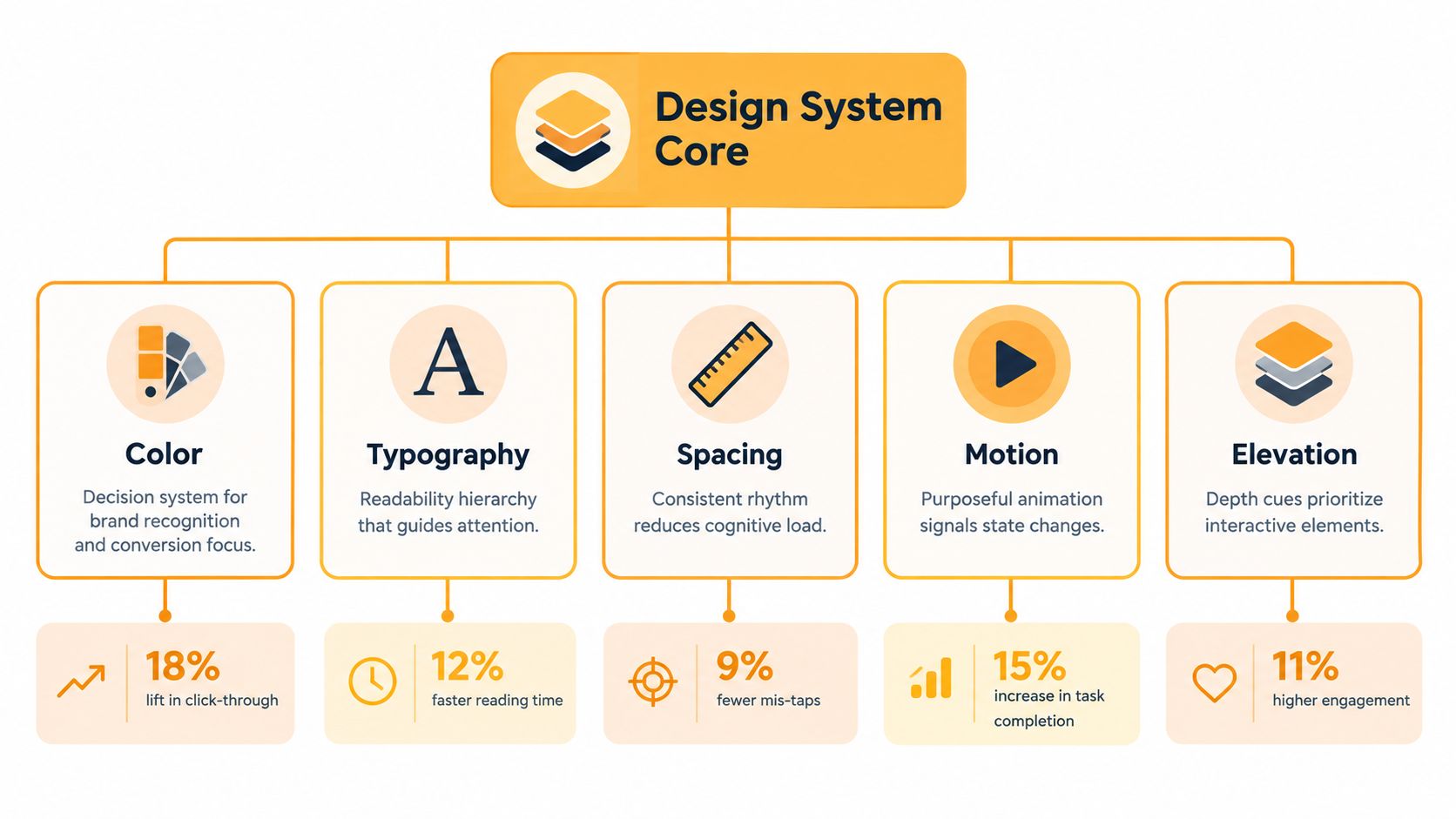
A simple token sheet works better than an overbuilt one. Teams don’t need endless semantic layers on day one. They need durable naming that survives multiple theme releases and doesn’t collapse when a second storefront or app enters the picture.
A practical naming pattern looks like this:
- Color tokens such as
color-bg-surface,color-text-primary,color-action-primary - Spacing tokens such as
space-100,space-200,space-300 - Type tokens such as
font-size-body,font-size-heading-m,line-height-tight - Motion tokens such as
motion-fast,motion-standard - Elevation tokens such as
shadow-surface,shadow-overlay
Tie each foundation to an outcome
Many systems get vague here. Each token category should exist for a reason beyond visual polish.
- Spacing tokens help reduce layout inconsistency. When teams reserve consistent spacing and dimensions across breakpoints, they avoid many of the shifts that later hurt CLS.
- Typography tokens shape readability and content density on collection pages and PDPs. If body copy, price, merchandising labels, and variant selectors don’t share hierarchy rules, users work harder than they should.
- Color roles should prioritize action clarity and status communication, not just brand expression.
- Motion tokens should be sparse. State change, cart feedback, and drawer transitions are enough. Decorative animation often adds implementation debt without helping INP.
- Elevation tokens should tell users what’s interactive, layered, or dismissible.
Shopify’s web performance guidance is useful here because it frames quality around Core Web Vitals and template validation, not just visual completion. Shopify recommends treating performance as part of implementation, with reusable tokens and components, performance budgets, validation across key templates, and ongoing monitoring. It also notes that the Theme Store requires a minimum average Lighthouse performance score of 60 across home, product, and collection pages, while aggregate real-user theme data shows 94.5% of shops passing LCP, 94.0% passing CLS, and 97.2% passing INP, though only 86.1% pass all three metrics and the weakest all-CWV result is 19.6%, which is a reminder that reuse alone doesn’t guarantee speed, according to Shopify’s guide to improving Shopify web performance.
Built right, tokens don’t just make interfaces look related. They make page behavior predictable enough to test and govern.
The token sheet worth shipping
For most Shopify teams, the first stable foundation release should document:
- Core brand tokens for color, type, and spacing
- Interaction tokens for focus, hover, active, disabled, loading
- Media rules for image ratios and reserved dimensions
- Responsive breakpoints tied to actual merchandising layouts
- A small motion set used only where state feedback matters
That’s enough to create consistency without doubling maintenance work. It’s also enough to connect design decisions to metrics that matter.
Building a Component Library Your Team Will Actually Use
A component library becomes useful when every component behaves like a contract. If a product card, button, or cart drawer can still be interpreted three different ways by three developers, the library exists, but the system doesn’t.
Document behavior, not just appearance
The components that matter most in Shopify builds are usually the least glamorous. Buttons, form fields, product cards, collection grids, navigation, badges, promo bars, and cart drawers carry most of the repeat traffic.
For each component, define:
- Props and variants. Primary, secondary, destructive, compact, icon-leading, full-width
- States. Default, hover, focus, pressed, disabled, loading, error
- Accessibility behavior. Keyboard order, labels, announcements, focus treatment
- Responsive rules. What changes on mobile, what must not change
- Performance expectations. Whether the component loads media, introduces script cost, or affects layout stability
A button isn’t “done” because the color is approved. It’s done when the team knows its minimum hit area, loading indicator behavior, focus ring, and whether the width can collapse under translation.
Where Polaris helps, and where custom work is smarter
Polaris is still valuable as a reference architecture because it has grown as a maintained engineering ecosystem, not a one-off component drop. Shopify’s public release history shows more than 10,000 commits and roughly 6,200 GitHub stars, with a documented Polaris 11.0.0 release in May 2023 and 13.x releases in 2024, which shows sustained maintenance and versioned evolution through packages and tools in the Shopify Polaris releases history.
That history matters for one reason. You should treat Polaris like a living platform with upgrade decisions, not like static design files.
In practice, use Polaris-aligned patterns when you’re building embedded admin experiences, merchant workflows, or extension interfaces where consistency with Shopify reduces friction. Build custom storefront components when merchandising, storytelling, and performance constraints need tighter control than a generalized system can provide.
The wrong move is copying Polaris everywhere. The right move is borrowing its discipline, then deciding where brand and business needs justify a custom component.
Make contribution lightweight
A library nobody can update won’t survive. The teams that keep these systems healthy usually use a short contribution workflow:
- A designer proposes a new variant or component only if an existing one can’t solve the need.
- Engineering reviews implementation cost and performance risk.
- QA checks behavior on real templates, not isolated artboards.
- The component ships only with usage guidance and deprecation notes if it replaces something older.
That prevents the usual failure mode, a crowded component page full of near-duplicates nobody trusts enough to reuse.
Theme Architecture Choices and Trade-offs
Architecture decisions shape the success of a Shopify design system more than teams admit. The visual layer can be excellent and still fail if the underlying stack makes iteration slow, app compatibility brittle, or experimentation painful.
There isn’t one correct architecture
The four practical paths include Online Store 2.0 themes, themes with app blocks and targeted customizations, headless storefronts, and Hydrogen. The right answer depends less on trend and more on how your team ships.
A merchant with heavy app usage and fast campaign cadence usually benefits from Shopify-native patterns. A content-heavy brand with unusual catalog logic may need more flexibility. A lot of scaling brands land in the middle and should stay there longer than they think.
| Architecture | Time to market | Performance ceiling | App compatibility | CRO experimentation speed |
|---|---|---|---|---|
| Online Store 2.0 theme | Fast | High when kept lean | Strong | Fast |
| Theme plus app blocks and selective custom sections | Fast to moderate | High on key templates | Strong to moderate, depends on apps | Fast |
| Headless custom stack | Slow to moderate | Very high | Variable | Moderate, depends on tooling |
| Hydrogen | Moderate | Very high | Variable | Moderate |
What usually works in practice
For many brands, a Liquid-first system wins because it fits Shopify’s operational reality. Merchants can manage content, sections, and merchandising without waiting on dev time for every update. App compatibility tends to stay cleaner. A strong design system then lives inside section architecture, block rules, tokenized styling, and reusable snippets.
There’s also an overlooked middle path. Keep your highest-traffic templates in a disciplined theme architecture, and reserve custom stack work for parts of the experience that outgrow theme conventions. That’s often a better investment than forcing headless onto an org that mainly needs speed, search visibility, and cleaner experimentation.
A useful framing for that transition appears in Excellorix’s breakdown of why growing ecommerce brands outgrow standard Shopify themes. The important point isn’t that every brand should leave standard themes behind. It’s that architecture should match operational complexity, not team aspiration.
The decision criteria that matter
Use these questions in planning:
- How often does marketing need to launch or modify landing pages?
- How dependent are you on third-party Shopify apps?
- Who owns experimentation, developers or growth marketers?
- Which templates create the most revenue concentration?
- Can the team govern multiple front-end surfaces without drift?
If your answers point toward frequent iteration, broad merchant control, and strong app dependence, a disciplined theme-based architecture is usually the better design-system home. If your answers point toward unusual commerce logic and engineering-heavy ownership, headless or Hydrogen may be worth the trade.
Developer Handoff Without the Spaghetti
Most design systems break between approval and merge. The designs look precise, but the handoff is loose, so developers fill gaps with reasonable assumptions that turn into inconsistent behavior.
The release package every component needs
A component should not enter development with only a Figma frame and a comment thread. The handoff package needs to be small enough to read and specific enough to build from.
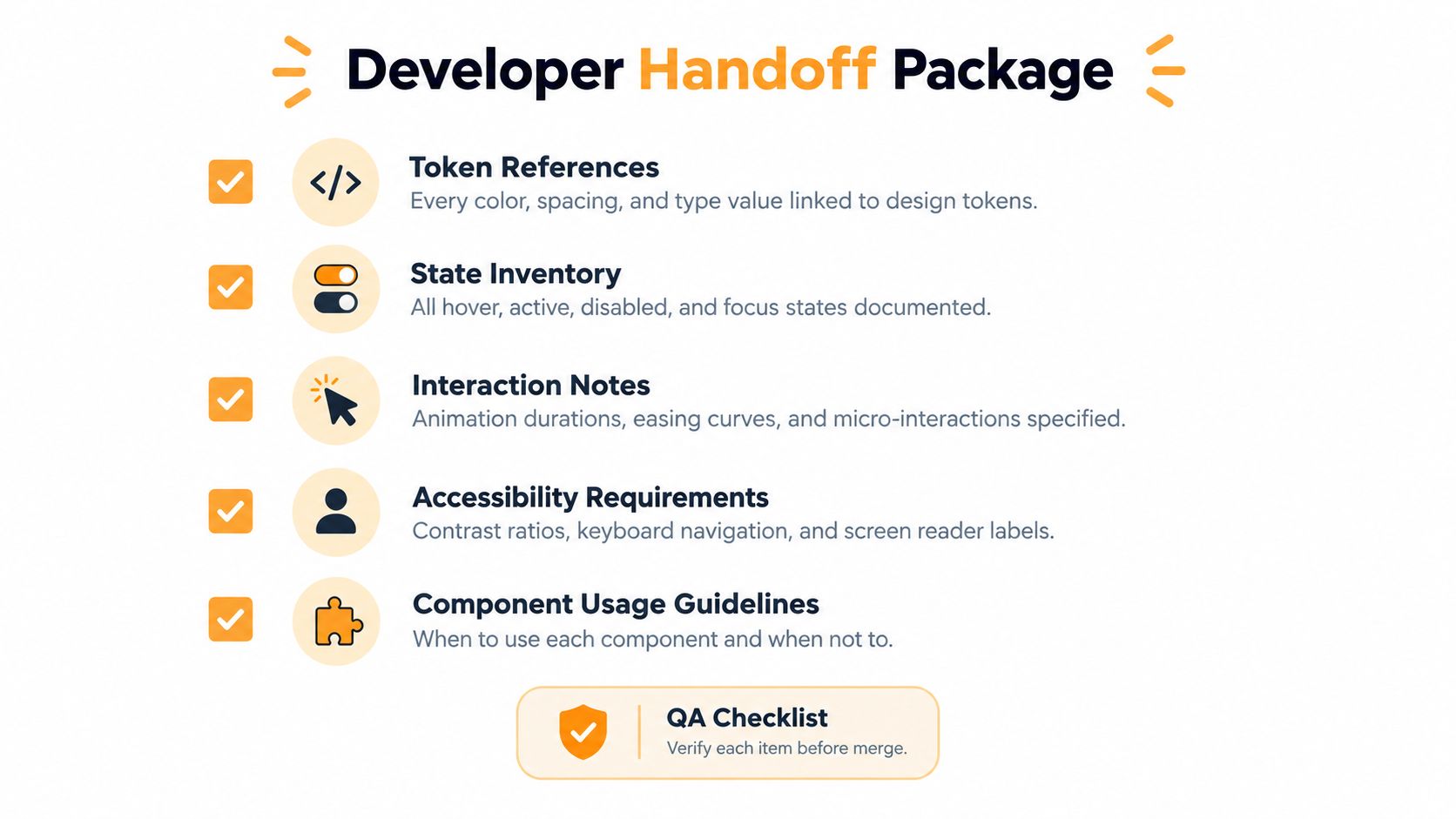
At minimum, include:
- Token references tied to the exact color, spacing, type, border, and shadow values
- State inventory for every interaction state, including empty, error, loading, and success where relevant
- Interaction notes for transitions, conditional visibility, sticky behavior, and keyboard interactions
- Accessibility requirements covering labels, headings, focus order, screen reader text, and error handling
- Usage guidance that explains where the component belongs and where it doesn’t
The details developers actually need
In Shopify work, one of the most expensive omissions is intrinsic media sizing. When a card, hero, or gallery image has no reserved dimensions, the build often looks fine in design review and then shifts on live devices once real content loads. That’s not a design problem or a dev problem. It’s a handoff problem.
The same goes for merchant-adjustable settings. If tokens are meant to surface inside theme configuration, define which values can safely move and which are locked. Color roles usually tolerate controlled variation. Spacing scales and type ramps usually should not.
Release check: If a merchant can change a token in settings, document the safe range and the combinations that would break contrast, spacing rhythm, or layout intent.
Keep the documentation alive after launch
Good handoff isn’t a one-time event. Store the system in a place where both design and dev can maintain it, then require updates whenever a component changes in production. The format matters less than the discipline. A clear page in your system docs with implementation notes, usage rules, and deprecation status beats a polished but outdated spec every time.
When teams wire tokens into theme settings thoughtfully, they get the best of both worlds. Merchants can make controlled brand adjustments without opening a chain reaction of UI drift, and developers don’t need to patch one-off overrides later.
That’s how you avoid the near-miss build, the one that looks right in screenshots and falls apart in production states.
Checkout Components Built for Conversion
Checkout is where the design system earns its keep. Every unclear field, cramped tap target, and avoidable validation reset becomes a revenue issue faster than it becomes a design issue.
Build checkout components from measured friction
The right starting point is the funnel, not the UI kit. Instrument the path from cart view to payment completion. Segment by mobile and desktop, new and returning customers, and major markets. Then audit every visible field, selector, checkbox, shipping disclosure, payment option, and error pattern before touching the visuals.
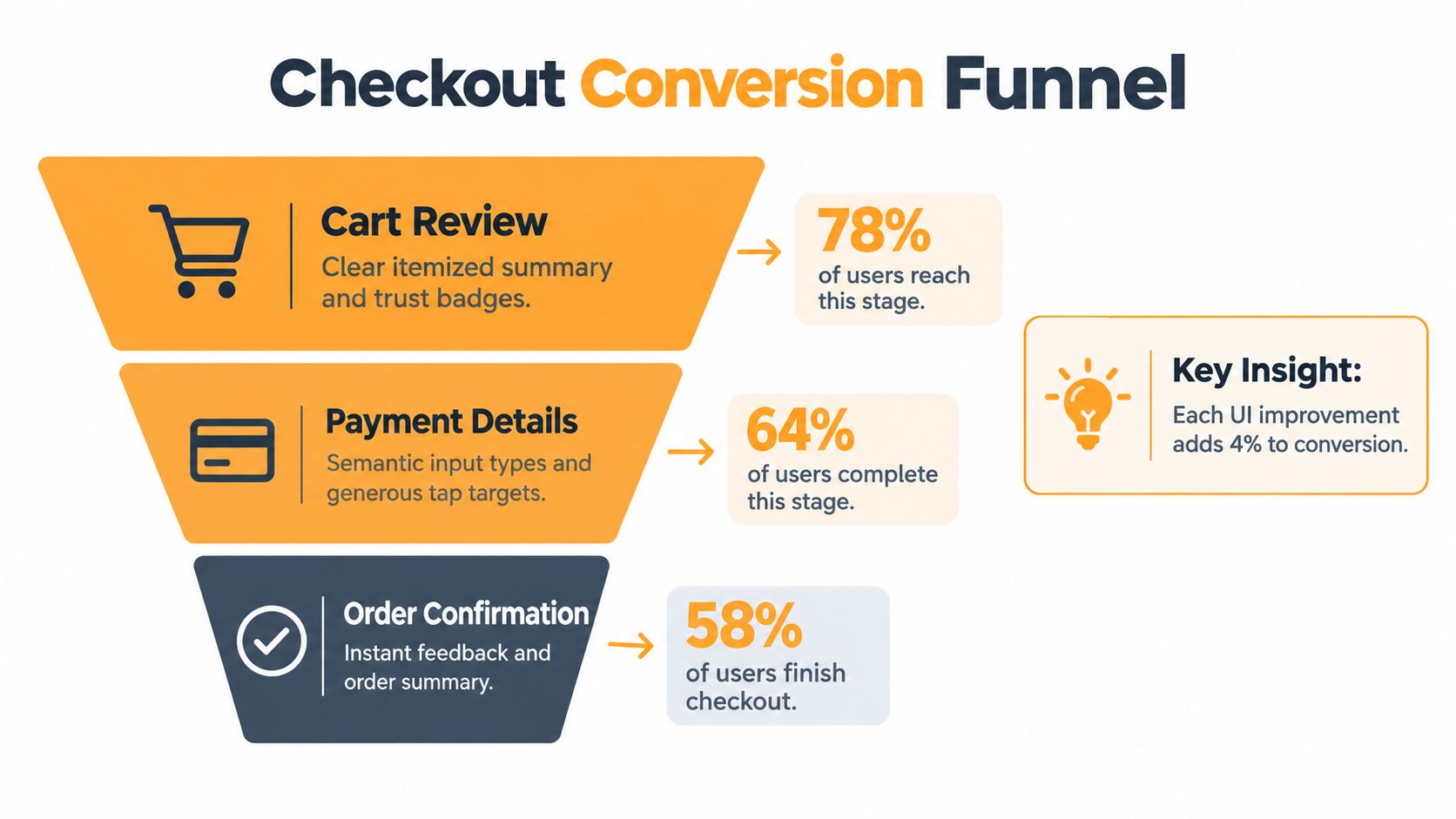
Baymard’s checkout research gives useful guardrails here. It found that the average U.S. ecommerce checkout shows 23.48 form elements by default, while usability testing suggests an ideal flow can be as short as 12 to 14 elements. It also reports that 17% of online shoppers abandoned an order because checkout was too long or complicated. On mobile, the benchmark found 61% of sites use an incorrect keyboard layout for at least one field, 66% place tappable elements too close together, and 32% use tap targets that are too small, based on Baymard’s research on mobile ecommerce checkout forms.
Those numbers aren’t just UX trivia. They should shape component rules.
The field-level rules that protect conversion
For checkout components, define standards like these:
- Use semantic input types so email, phone, and numeric fields trigger the right keyboard on mobile.
- Preserve entered data after validation errors or payment failures.
- Keep order totals visible so users don’t lose context mid-flow.
- Use generous touch targets and avoid dense control clusters.
- Support autofill cleanly with predictable labels and field naming.
- Handle errors inline with clear recovery guidance instead of vague banners.
For subscription or recurring-purchase brands, the surrounding flow matters too. Tagada’s practical notes on checkout UX for subscription brands are worth reviewing because they push teams to think beyond static form polish and into clarity around commitment, billing, and trust.
This short walkthrough is a useful companion while thinking about checkout experience details:
Don’t skip localization and experiment control
A checkout component isn’t ready just because it works in English on one iPhone. Test long translations, local date and number formats, and layout behavior when labels expand. If you support right-to-left markets, the component has to preserve hierarchy and interaction logic there too.
Checkout redesigns should ship like experiments, not like rebrands.
That means tracking completion rate, field-level error rate, time to completion, payment failure rate, and revenue per session. If a cleaner-looking field group hurts completion or creates support issues, it’s not a win. If you’re tightening abandonment analysis and implementation discipline, Excellorix’s guide to ecommerce checkout optimization to cut abandonment is a useful operational reference.
Governance, Versioning, and the Polaris Migration Question
Systems fail at the governance layer: no owner for versioning, no deprecation rule, and every urgent campaign bypassing the process. Those failures create inconsistent interfaces, slower releases, accessibility regressions, and measurement gaps that can affect Core Web Vitals and checkout completion.
Governance keeps the system usable
A Shopify design system needs named ownership. Assign a design lead and an engineering lead, then define how contributors propose, review, release, and retire components. The release cadence should follow the merchant’s trading calendar. Holiday periods are poor times to replace foundational UI patterns unless the test plan, rollback path, and performance checks are already in place.
The governance model should answer four questions:
- Who approves new components or variants?
- How are changes versioned and communicated?
- When are legacy patterns deprecated?
- Which regression checks are required before release?
Document those decisions in the repository and make exceptions visible. Otherwise, the library becomes a gallery of intentions, while production teams continue building one-off variants.
The Polaris migration problem: plan by surface, not by version number
Polaris migration is a planning problem across Shopify surfaces, not a single library upgrade. Older React-based implementations may still support valuable workflows, so replacing them without checking dependencies, analytics, and rollout risk can delay business results.
Shopify states that API version 2025-07 is the last version supporting React-based UI components for several extension surfaces, with later versions moving to Polaris web components, as described in the announcement for Customer Account UI extensions and web components. Shopify also presents Polaris web components as a unified toolkit across surfaces, while requiring developers to provide labels, errors, heading levels, and accessibility roles correctly in its documentation on using Polaris web components.
The newest component set is therefore not automatically the fastest route to value. Assess the migration cost against compatibility, analytics continuity, page performance, and the time needed to retrain contributors.
Use a migration matrix by surface:
- Admin extensions. Audit legacy dependencies, then prioritize changes that reduce merchant learning friction.
- Checkout extensions. Validate event tracking and experiment continuity before changing shared UI.
- Customer accounts. Start where shared semantics and newer components reduce maintenance work.
- POS and operational surfaces. Proceed only when dependencies, support expectations, and rollout timing are documented.
Newer UI infrastructure can improve consistency, but migration cost, extension compatibility, and analytics integrity often decide the business case.
A practical 30-60-90 rollout
Days 0 to 30
Audit tokens, inventory current components, identify duplicates, and record where patterns diverge by surface. Pause net-new component creation unless it addresses a documented gap. Add owners and deprecation status to the inventory.
Days 31 to 60
Standardize the highest-use components, connect tokens to theme and extension layers, and set performance budgets for reusable UI. Publish contribution rules, approval paths, accessibility requirements, and exception handling.
Days 61 to 90
Pilot checkout updates, validate migration candidates by surface, run controlled conversion tests, and publish the governance document. Track adoption by component, design-to-development friction, regression rate, key-template performance, and checkout completion after UI changes.
Before a component ships, ask: Does it produce faster pages, more completed checkouts, or both? If it does neither, defer it until the business case is clear.
If your team needs help turning scattered Shopify UI decisions into a governed system, Excellorix builds and optimizes Shopify experiences around speed, SEO, accessibility, and conversion. Visit Excellorix to review your theme and checkout patterns, map a Polaris-aligned roadmap, and establish measurable governance.