WordPress core is rarely the main security problem. In 2024, plugins accounted for 96% of the 7,966 newly disclosed WordPress ecosystem vulnerabilities, while themes accounted for the remaining 4%, leaving only seven vulnerabilities in WordPress core.
You may already have a site that looks properly maintained. WordPress is current, administrator passwords are reasonably strong, and a security plugin sends occasional green notifications. Then a form stops working, visitors see an unfamiliar redirect, or Google begins showing pages you never published. The cause is often a single outdated extension that nobody remembered was still installed.
That distinction changes how you approach WordPress and security. Core updates matter, but they don’t prove that the site is safe. A practical program also needs an accurate plugin and theme inventory, sensible access controls, tested backups, vulnerability monitoring, and a controlled process for deciding what to patch first.
Table of Contents
- Understanding the Extension-Layer Threat in WordPress
- Common Vulnerabilities and Attack Vectors Explained
- Essential Hardening Steps for Every WordPress Site
- Choosing the Right Security Plugins and Tools
- Prioritizing Vulnerabilities with a Risk-Based Approach
- Incident Response When Something Goes Wrong
- Building an Ongoing Security Maintenance Routine
Understanding the Extension-Layer Threat in WordPress
A business site can run the latest WordPress release and still be exposed. An old contact-form add-on remains active because the marketing team depends on it, its developer has abandoned the project, and nobody knows which pages rely on it. An automated attacker scans public WordPress sites, identifies the vulnerable extension, and sends requests aimed at its exposed code.
The attacker may gain an administrator account, inject scripts, alter content, publish spam pages, redirect visitors, or access information submitted through forms. On an ecommerce or lead-generation site, the consequences can reach checkout behavior, customer trust, advertising destinations, and organic visibility. The extension creates the entry point, while the business impact depends on what that extension can reach.
Why the extension layer deserves attention
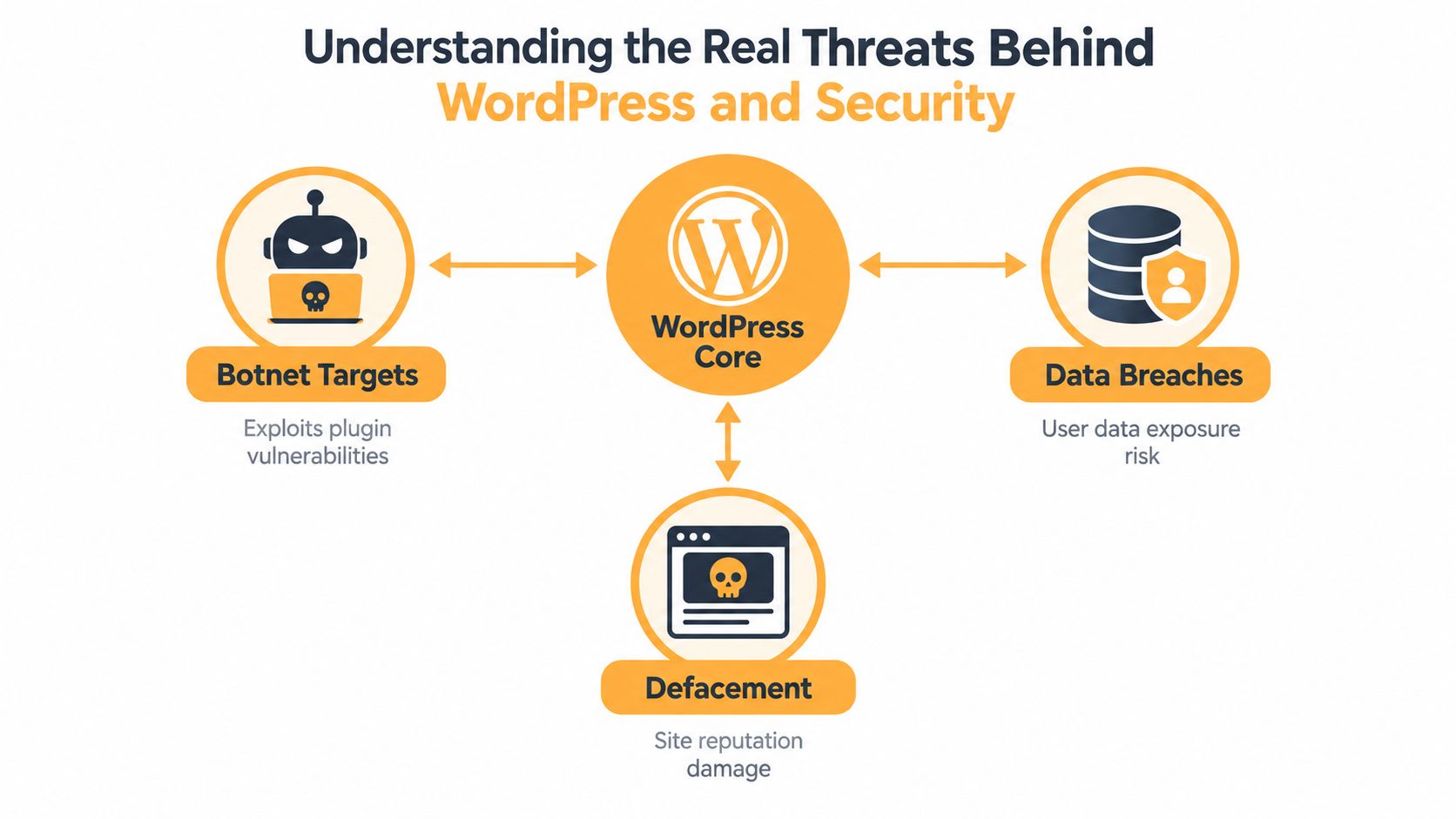
Patchstack recorded 7,966 newly disclosed vulnerabilities across the WordPress ecosystem in 2024, approximately 22 per day, a 34% increase from 2023 (Patchstack’s WordPress security report). Plugins represented 96% of those disclosures and themes 4%. WordPress core accounted for only seven vulnerabilities, and none was considered significant enough to create a widespread threat.
Priority still matters. 11.6% of 2024 disclosures received a high Priority Score because they were expected to be exploited or were already linked to exploitation. Another 18.8% received a medium score. Those classifications need site-specific context, but they provide a useful starting point for deciding which extension deserves attention first.
Practical rule: Keep core current, then rank extension patches by exploitability, access, affected business function, and recovery difficulty.
Attackers prefer repeatable weaknesses. They scan for known plugin paths, vulnerable versions, exposed login surfaces, and poorly protected administrator accounts. Your actual exposure depends on what you have installed, what remains active, who can access it, and how quickly you can recover. A security score alone cannot answer those questions.
Common Vulnerabilities and Attack Vectors Explained
A compromised contact-form add-on can turn a routine plugin update into a security incident. If its vulnerability lets an attacker bypass authorization, inject code, or write files, the attacker may reach customer messages, create administrator accounts, redirect visitors, or plant a backdoor. The advisory’s label matters, but the affected function and required access matter more.
Read each notice through three questions: what action does the flaw permit, who can trigger it, and what business data or workflow does it reach? Cross-site scripting can execute malicious script in a visitor’s browser. Broken access control can expose an action or record to a user who should not control it. Cross-site request forgery can trick an authenticated user into submitting an unwanted request.
Patchstack’s 2025 statistics list cross-site scripting at 40.55%, broken access control at 14.73%, and cross-site request forgery at 13.14% of reported WordPress vulnerabilities (Patchstack’s 2025 vulnerability statistics). Those categories help classify the flaw, not set its priority. Stored script execution in an administrator-facing plugin creates a different risk from a similar issue limited to a public widget. An access-control defect affecting orders, customer records, or user roles deserves faster action than one affecting page styling.
What historical compromises reveal
Historical incidents show why the extension layer deserves scrutiny. Sucuri’s analysis of more than 11,000 infected websites from the first quarter of 2016 found that more than 78% were built on WordPress, compared with 14% using Joomla. More than 50% of the analyzed WordPress sites ran outdated software, while RevSlider, Gravity Forms, and TimThumb together affected 25% of compromised WordPress sites (Sucuri’s Q1 2016 hacked website report).
Sucuri later found that WordPress represented 96.2% of infections handled in 2022. In that dataset, 36% of compromised websites had at least one vulnerable plugin or theme during remediation, 69.63% contained at least one backdoor, and remediation teams removed more than 1.2 million backdoors (Sucuri’s hacked website report). Entry and persistence require separate investigation. Deleting a malicious file will not stop reinfection if the original account, extension, or scheduled process remains available.
A firewall can block some requests, and a scanner can identify suspicious files. Neither repairs abandoned code or guarantees prevention. Prioritize patches by exploitability, required access, affected business function, and recovery difficulty, then use each tool as one part of that response.
Essential Hardening Steps for Every WordPress Site
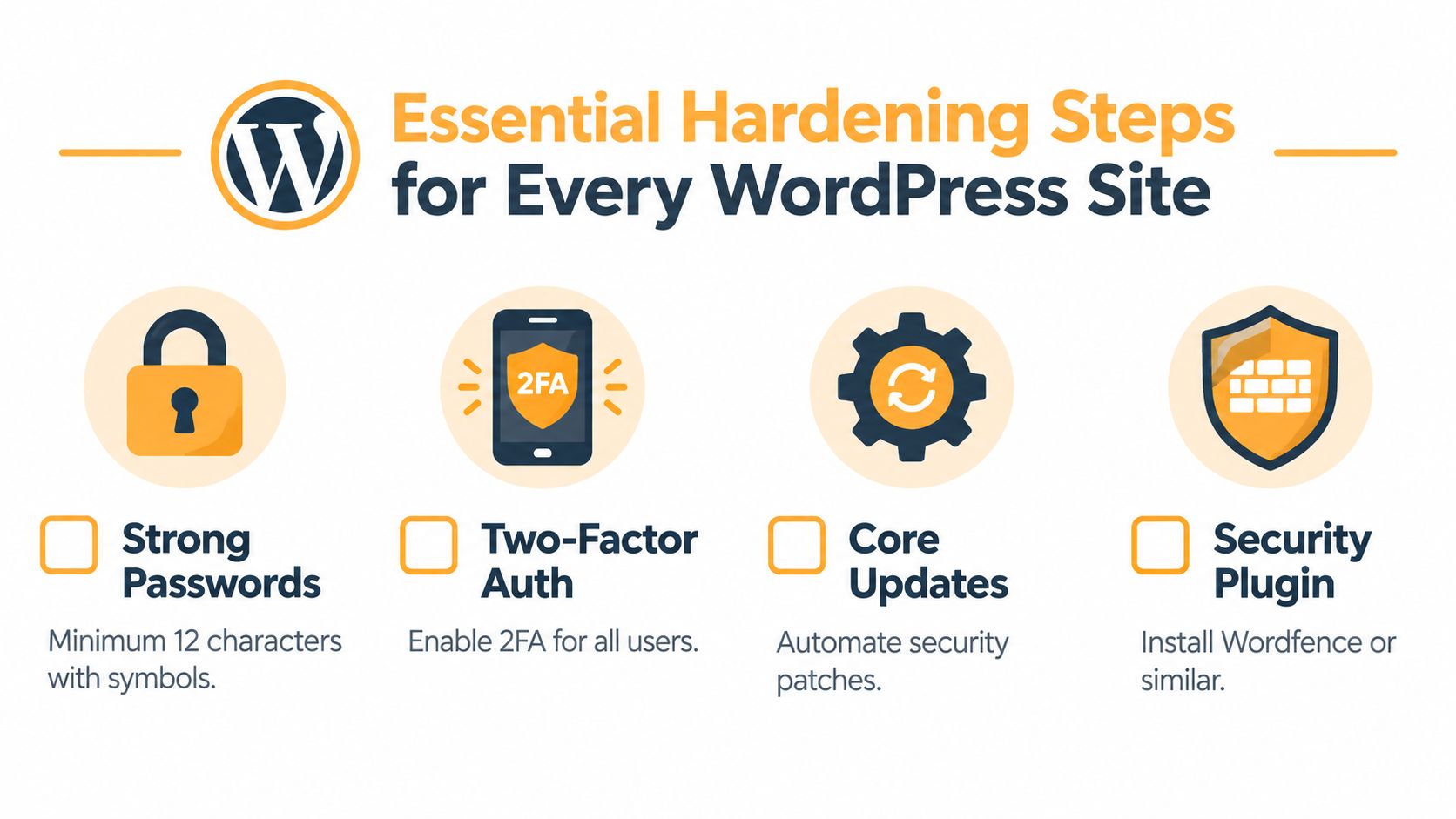
Start with the controls that reduce the consequences of a stolen password or vulnerable extension. WordPress has supported automatic background core updates since version 3.7, and its security guidance recommends keeping plugins and themes current as well (WordPress hardening guidance). Enable automatic core security updates, but handle plugin and theme releases through a process that reflects their role on the site.
Establish the baseline
-
Inventory the installation: Record every active and inactive plugin, theme, integration, and administrator account. Remove components the site no longer needs. An inactive plugin can still become a liability if its files remain accessible or someone reactivates it without review.
-
Protect accounts: Require unique passwords and two-factor authentication for administrators, editors, and anyone with access to sensitive functions. Remove former team members promptly, and avoid giving administrator privileges to users who only publish content or manage campaigns.
-
Control changes: Test plugin updates in staging when the site handles checkout, forms, bookings, analytics, or custom integrations. Keep a maintenance log with the installed version, update date, test result, and rollback procedure.
-
Prepare recovery: Store backups away from the production server and verify that restoration works. A backup you haven’t restored is an assumption, not a recovery plan. Retain copies from before major releases and investigate unexpected changes rather than allowing them to be overwritten.
-
Reduce server exposure: Use secure hosting, restrict file changes where practical, keep the PHP environment supported by the host, and separate production access from everyday browsing. These measures won’t eliminate extension vulnerabilities, but they limit what an attacker can do after gaining a foothold.
Security plugins can add useful scanning, login protection, and firewall controls. They should support, not replace, the update pipeline.
This video provides a visual walkthrough of practical hardening concepts:
Choosing the Right Security Plugins and Tools
Security tooling works best when each layer has a defined job. Problems begin when site owners install several overlapping plugins, enable every feature, and assume the resulting dashboard represents actual protection. Duplicate firewalls can conflict, aggressive scans can consume hosting resources, and automated rules can block legitimate form submissions or API requests.
| Tool Type | Primary Function | Best For | Limitations |
|---|---|---|---|
| Web application firewall | Filters suspicious requests before they reach vulnerable functions | Sites exposed to frequent automated probing | Rules can miss novel attacks or interfere with legitimate traffic |
| Malware scanner | Searches files, database content, and configuration for indicators of compromise | Detecting altered files and known malicious patterns | Detection isn’t the same as prevention, and clean-up may require specialist review |
| Login protection | Adds rate limits, 2FA, CAPTCHA, and login monitoring | Reducing password attacks and account takeover risk | Doesn’t fix vulnerable plugins or compromised sessions |
| Vulnerability monitor | Tracks installed extensions against known advisories | Teams that need a prioritized patch queue | Results depend on accurate inventory and advisory quality |
| Off-site backup system | Provides a recovery copy outside the live server | Any revenue-generating or customer-facing site | Backups can preserve malware if they’re not reviewed and tested |
| Hosting and server monitoring | Observes uptime, resource behavior, and suspicious changes | Larger or more complex installations | Requires someone to interpret alerts and respond |
Choose a tool based on your hosting environment, technical capacity, and recovery requirements. A small brochure site may need reliable backups, 2FA, login protection, and an extension monitor. A store with payment, CRM, advertising, and analytics connections needs stronger release testing and clearer alert ownership.
A security plugin that reports “protected” without showing blocked events, vulnerable components, scan findings, or administrator changes doesn’t give you enough information to make a decision. Look for readable logs, controllable notifications, and compatibility with staging and deployment workflows. If the site also needs speed, search visibility, and conversion work, WordPress website design and development should treat security controls as part of the build rather than bolting them on after launch.
Excellorix is one option for teams that want WordPress support and management covering core, theme, and plugin updates, security monitoring, firewalls, malware scans, and backups. The important question isn’t which brand appears in the dashboard. It’s whether a named person reviews alerts and follows through.
Prioritizing Vulnerabilities with a Risk-Based Approach
A high vulnerability score does not decide the next action. Patchstack’s 2025 database records 7,519 WordPress vulnerabilities, including 5,093, or 68%, identified as fixed (Patchstack’s 2025 database statistics). The more useful question is whether the affected extension is reachable, exploitable, and important to the business. A patch that exists may still threaten a checkout flow if deployed without testing. An extension with no fix may require immediate containment.
Create a small risk register for every active plugin and theme. Record the affected feature, installed version, available fix, authentication requirement, exploitation evidence, and business consequence. This keeps the decision tied to the site’s real exposure instead of a generic severity label.
A practical order of operations
First, identify reachability. Determine whether the vulnerable function accepts requests from unauthenticated visitors, logged-in users, editors, or administrators. Publicly reachable code belongs near the top of the queue. A flaw limited to a tightly controlled administrative role may allow more preparation time.
Next, assess exploitability. Check for active exploitation, a simple request path, existing protection rules, or a chain of difficult prerequisites. Patchstack’s threat analysis identifies vulnerabilities that require protection rules and others that may support automated mass exploitation (Patchstack’s 2025 threat statistics). Use those classifications as context, then verify how the vulnerable component is configured on your site.
Then, map business impact. A flaw in a minor blog widget may wait for a controlled deployment. A vulnerability affecting checkout, customer forms, registration, redirects, or administrator roles deserves priority because compromise could interrupt revenue or expose sensitive information.
Finally, select the safest response for this incident.
- Patch: Apply the available fix when exposure and impact justify immediate action.
- Mitigate: Add a firewall rule or restrict the vulnerable function while a permanent fix is prepared.
- Disable: Turn off the extension when its feature can be paused without unacceptable disruption.
- Isolate: Restrict access to the affected area when disabling it would damage an important workflow.
These are incident decisions, not a substitute for the recurring maintenance process. Keep the risk register current, assign an owner, and record why a patch, mitigation, disablement, or isolation decision was chosen.
A technical review can reveal injected pages, redirects, indexing changes, and broken access paths that security alerts may not connect to business impact. For sites dependent on organic acquisition, use a technical SEO audit checklist alongside the security review.
Incident Response When Something Goes Wrong
Treat unexpected redirects, new administrator accounts, altered homepage content, unfamiliar scripts, sudden spam pages, and unexplained form or checkout behavior as possible security signals. Don’t immediately delete files or reinstall plugins. Those actions can destroy useful evidence and leave the original access path open.
Stabilize before rebuilding
-
Confirm the symptom: Capture affected URLs, timestamps, screenshots, user reports, and security alerts. Check whether the issue affects visitors, administrators, a particular device, or a specific integration.
-
Limit access: Put the site into a controlled maintenance state, restrict administrator access, and pause sensitive workflows such as checkout or lead capture if customer data may be at risk. A WordPress maintenance mode approach can help communicate downtime while the team investigates.
-
Preserve evidence: Export relevant logs, list current users, note recently changed files, and record installed versions. Keep an untouched copy of the compromised environment for specialist analysis when the incident is serious.
-
Contain the entry point: Disable the suspected plugin or integration, revoke suspicious sessions, reset privileged credentials from a clean device, and apply available fixes. Don’t assume the first malicious file you find is the only one.
-
Restore carefully: Use a known-clean backup, update the full extension set, remove unnecessary components, and verify administrator accounts and scheduled tasks. Test forms, checkout, analytics, redirects, and indexing before reopening the site.
-
Monitor after launch: Watch logs, file changes, account activity, search results, and performance. If the site reinfects, stop restoring the same backup and escalate to a qualified incident-response specialist.
A calm sequence beats frantic cleanup. The aim is containment, trustworthy restoration, and removal of the cause, not merely making the homepage look normal again.
Building an Ongoing Security Maintenance Routine
Security work holds up when someone owns each decision. Assign responsibility for alerts, release approvals, backups, and incident escalation. A notification that nobody reviews is not a control, regardless of how many security tools the site uses.
A maintenance rhythm that holds up
The baseline controls from the hardening section stay in place. The recurring routine adds decision points around them:
Assign patching priorities. Start with extensions that handle authentication, payments, forms, uploads, remote requests, or customer data. Review exploit status, exposure, vendor response, and business impact before scheduling lower-risk changes. A generic security score cannot replace that judgment.
Set release windows. Group routine maintenance into planned windows, then reserve an expedited path for an actively exploited extension or a flaw affecting a high-value workflow. Test the affected business process, such as checkout, memberships, bookings, CRM handoffs, analytics, or SEO templates. A patch that fixes a vulnerability but breaks revenue tracking still requires follow-up.
Keep a maintenance record. Record the decision, version change, test result, responsible person, unresolved advisory, and next review date. This shortens handoffs and makes recurring exceptions visible.
Review business signals. Uptime, redirect behavior, indexing, form delivery, administrator changes, and unusual traffic can reveal security problems before a scanner does. Tie these checks to the workflows that matter to the site, rather than treating monitoring as a separate technical task.
The wider evidence supports this focus on extensions. Patchstack reported 11,334 new WordPress ecosystem vulnerabilities in 2025, a 42% increase from the previous year, with 91% in plugins and 9% in themes (Patchstack’s 2026 WordPress security report). Core updates remain necessary, but the extension layer demands disciplined review because it carries much of the site’s changing attack surface.
For a revenue-generating site, the target is a dependable cycle: inventory, risk assessment, testing, protection, backup verification, and recovery practice.
Excellorix can help manage WordPress core, plugin, and theme updates alongside security monitoring, malware scans, firewalls, backups, and ongoing maintenance. Visit Excellorix to discuss a plan built around your site’s forms, ecommerce workflows, SEO, and conversion needs.