Skip to content



Your store has products people want, but organic sales aren’t moving. Category pages attract the wrong queries, product pages feel slow on phones, and shoppers who misspell a product name get an empty search results page. Meanwhile, your team keeps rewriting descriptions because that’s the SEO task everyone knows how to assign.
Effective SEO strategies for ecommerce sites start with the catalog, not isolated pages. Search engines need clear routes through your inventory, shoppers need useful buying information, and your team needs to know which changes produce revenue. That means managing architecture, product data, performance, and content as a connected system.
Table of Contents
- Ecommerce SEO Strategies at a Glance
- Build Category Architecture That Shoppers and Search Engines Can Use
- Optimize Product Pages and Decide Which Variants to Index
- Structured Data and Merchant Feeds That Earn Rich Results
- Core Web Vitals Targets for Product and Category Templates
- Buying Guides and Category Content That Win AI Citations
- International Ecommerce Sites Without Duplicate Market Pages
- Measure Organic Revenue and Pick Your First Three Fixes
Ecommerce SEO Strategies at a Glance
Ecommerce SEO strategies by page type
| Strategy | Page types affected | Metric to watch | First action |
|---|---|---|---|
| Site architecture | Category and subcategory pages | Indexed category pages in Search Console | Map each category to a search demand cluster |
| Product page optimization | Individual product URLs | Organic clicks and add-to-cart rate | Check titles, specifications, and purchase objections on priority products |
| Structured data | Product and category templates | Rich result impressions | Add Product markup to product pages that matches visible price and stock |
| Core Web Vitals | Product, collection, cart, and checkout templates | Field LCP, INP, and CLS at the 75th percentile | Fix the worst-performing revenue-critical template first |
| Buying guides and category content | Guide pages and category descriptions | AI citations and assisted conversions | Publish a guide answering the leading pre-purchase question |
| Internal search and taxonomy | Site search and no-results pages | No-result rate and search refinements | Export leading queries and add missing terms |
Say you’re managing a hypothetical apparel store with 2,000 SKUs and 40 category pages. Its product templates are slow, and common misspellings return no search results. Rewriting every product description won’t solve those problems. A better starting point is identifying whether customers can’t discover a suitable category, can’t evaluate a product, or can’t complete their intended action.
Unlike a blog, an ecommerce catalog can generate near-identical URLs through sizes, colors, sorting, and filters. Prices and inventory also change, while visitors may arrive looking for an exact model rather than general information. For platform-specific implementation, SellerAI’s resource on how to boost organic traffic to Shopify offers a useful companion to catalog planning.
Set the order of work
Start with architecture and discovery, then product pages and structured data. Address template performance, build decision-support content, and measure the commercial effect throughout.
Prioritization rule: Fix the problem that prevents an existing qualified shopper from reaching or buying the right product before creating more pages to attract additional visitors.
Assign each task an owner and a validation method. A developer should know which template needs changing, a merchandiser should know which attributes are missing, and the SEO lead should know which landing-page segment should improve.
Build Category Architecture That Shoppers and Search Engines Can Use
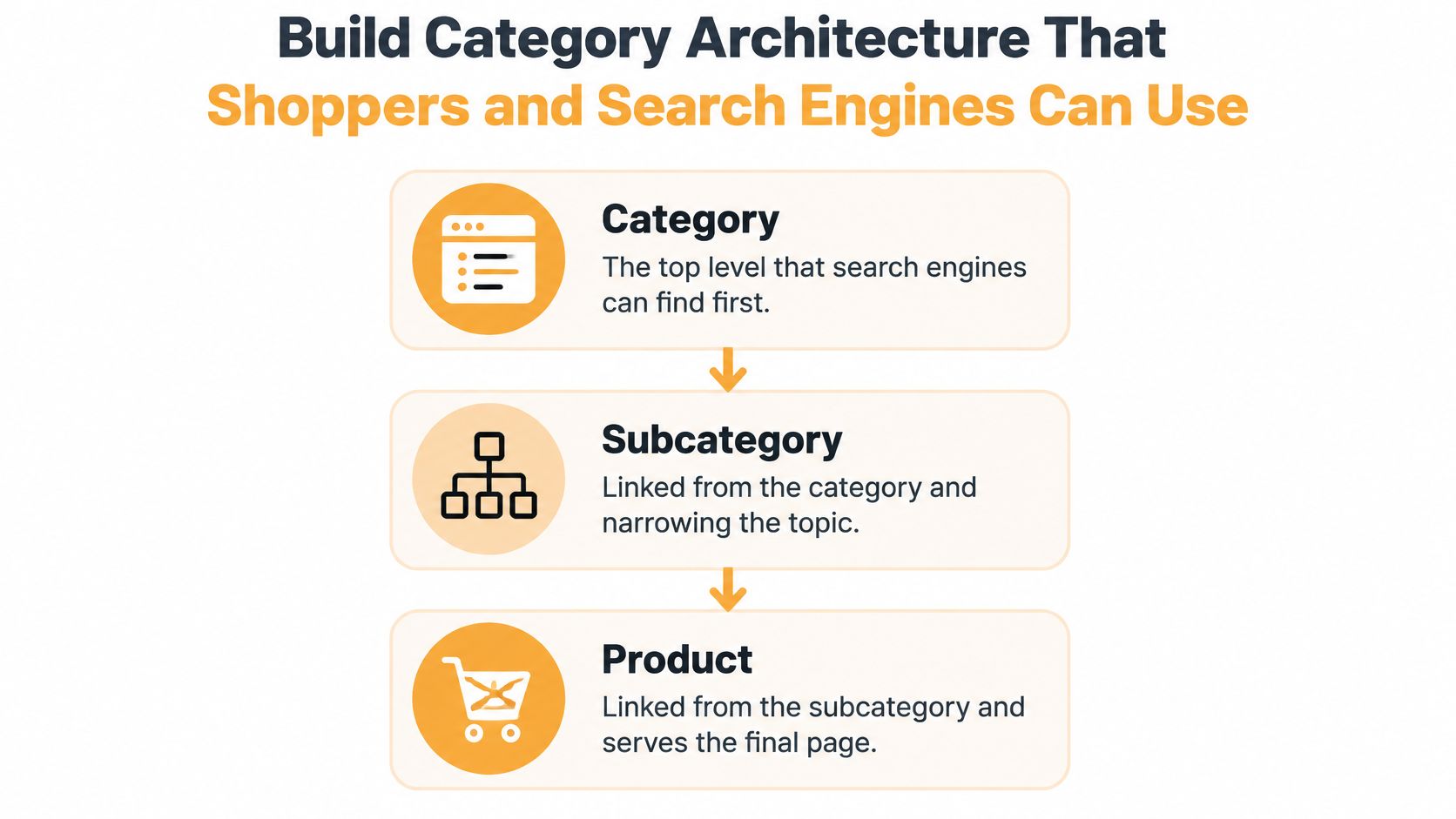
Use a category, subcategory, product hierarchy. Link each level from the one above through ordinary crawlable links, and keep important collections easy to reach from the homepage. Breadcrumbs should reflect the shopper’s route through that hierarchy.
For the apparel store, a sensible path might be footwear, running shoes, then the individual shoe. Don’t force shoppers through campaign pages or internal search to reach permanent inventory.
Separate useful landing pages from filter clutter
An indexable filtered category needs a purpose beyond displaying a different combination of products. Running shoes for flat feet might deserve a permanent landing page when customer demand and suitable inventory support it. A combination of size, sale status, sorting order, and color usually doesn’t.
For approved landing pages, provide a stable URL, distinct title, useful description, and internal links. Keep arbitrary combinations out of the index through a documented combination of URL design, indexation rules, and crawl controls.
Don’t treat canonical tags, noindex directives, and robots.txt rules as interchangeable. A crawler must access a page to see its noindex directive, while blocking crawling doesn’t itself guarantee removal from search results.
Use internal search as customer vocabulary
According to Baymard’s ecommerce usability methodology, participants encountered more than 34,000 usability issues while finding, evaluating, and purchasing products; in observed ecommerce search sessions, users couldn’t find what they wanted or became frustrated and abandoned the process 31% of the time.
Turn search logs into a working queue:
- Export leading queries. Include query frequency, result counts, refinements, and purchases where available.
- Flag failed searches. Separate genuine assortment gaps from misspellings and terminology mismatches.
- Add missing language. Configure synonyms, typo handling, and relevant category labels without stuffing unrelated terms into product names.
- Review discontinued URLs. Redirect to an equivalent replacement or relevant category when it satisfies the original intent. Don’t send unrelated products to a broad collection merely to avoid an error page.
Finish with a practical acceptance checklist:
- Hierarchy mapped: Important products are accessible through category links, including paginated listings.
- Filters classified: Each filter type has an explicit indexing rule.
- Logs reviewed: Review search failures monthly and after major assortment changes.
- Alternatives available: No-results pages offer corrected searches, relevant categories, and useful next steps.
Optimize Product Pages and Decide Which Variants to Index
Variant URL decisions by case
| Variant case | Indexable URL? | Required action |
|---|---|---|
| Variant with distinct search demand | Yes, its own URL | Unique title and copy, ProductGroup with hasVariant |
| Variant with materially unique content or images | Yes, when it serves a distinct landing-page purpose | Unique description, specifications, and images, included in the sitemap |
| Variant with a merchandising purpose such as a seasonal color push | Yes, for the campaign period when justified | Matching Merchant Center feed entry and stock data, plus an exit plan |
| Minor size or color with no search demand | No, parent stays indexable | Preselect the option through its variant URL and canonicalize to the parent |
| Filter combinations that create near-duplicate URLs | No | Keep out of the index and link only useful combinations |
A selectable variant doesn’t automatically need an indexed page. The decision should reflect a distinct customer need, useful differentiation, or a deliberate merchandising objective. Sales popularity alone isn’t sufficient evidence that a color deserves its own search landing page.
Consider a hypothetical running shoe offered in several colors. If shoppers search for particular colorways and those pages can offer relevant imagery and copy, separate indexable URLs may make sense. Size-only options can remain selectable without becoming separate organic landing pages.
Make the product page worth choosing
Manufacturer specifications are useful facts. Manufacturer marketing copy copied verbatim gives buyers little reason to prefer your store over another reseller.
Use these on-page checks:
- Title and heading: Name the product type, model, brand, and distinguishing attribute naturally.
- Description: Explain fit, materials, intended use, and limitations. Write enough to answer purchase questions rather than chasing a word count.
- Specifications: Put measurements, composition, and compatibility in visible text, not only inside images.
- Reviews: Display genuine customer feedback with enough context to help buyers judge relevance.
- Purchase information: Make size selection, delivery expectations, and available alternatives easy to understand.
For the shoe, explaining whether it accommodates a wider forefoot is more useful than repeating a vague comfort claim. Excellorix’s explanation of on-page SEO optimization provides context for aligning these elements with search intent.
Connect variant URLs and markup
Google’s product-variant documentation recommends ProductGroup, productGroupID, variesBy, and hasVariant to associate variants, with unique identifiers and distinct URLs that can preselect the correct option.
A variant URL should load the intended color, size, image, price, and availability without requiring another selection. Otherwise, the URL promises a specific product state that the page doesn’t deliver.
Test representative parent and variant pages with URL Inspection and structured-data validation before deployment. Check rendered content, canonical tags, selected options, and sitemap inclusion together. Structured data won’t repair contradictory URL signals.
Structured Data and Merchant Feeds That Earn Rich Results
Structured data communicates product facts in a machine-readable format. It isn’t a substitute for visible information or a guarantee that Google will display an enhanced result.
Use the product page itself as the reference for what shoppers can buy.
Google’s Product structured-data documentation distinguishes product snippets, commonly used where visitors can’t purchase directly, from merchant listings, designed for purchasable products; it also says using both on-page structured data and a Merchant Center feed maximizes eligibility and helps Google understand and verify product information.
For the apparel store, that means treating JSON-LD and the feed as outputs of the same maintained catalog, not separate marketing files. Product facts should originate from an accountable source, with explicit rules for sale prices, inventory changes, and shipping conditions.
Make accuracy part of publishing
Use this release checklist:
- Price and availability agree: Visible content, Product markup, and feed entries describe the same offer.
- Shipping and returns stay current: Assign responsibility for updating these details when commercial policies change.
- Breadcrumbs reflect navigation: Add BreadcrumbList to appropriate category and product templates.
- Reviews remain authentic: Mark up genuine reviews associated with the product shown, not unrelated store-level praise.
- Feed updates follow catalog changes: Publish price and stock updates promptly rather than leaving stale values until a manual export.
A discounted page paired with an old feed price creates an avoidable mismatch. It can undermine enhanced-result eligibility and leave shoppers unsure which offer applies.
NanoPIM’s explanation of testing ecommerce structured data is a useful reference when turning these checks into a repeatable validation workflow.
Use the video alongside hands-on checks of your own templates.
Validate after catalog changes
Run the Rich Results Test on representative URLs from each relevant template, including products on sale, unavailable items, and products with variants. Check Search Console’s enhancement reports weekly and after catalog imports.
Separate syntax errors from commercial inconsistencies. A valid JSON-LD block can still contain the wrong price. Validation therefore needs both automated checks and a direct comparison with what a shopper sees.
Core Web Vitals Targets for Product and Category Templates
Core Web Vitals thresholds and first fixes
| Metric | Good threshold | Common cause on stores | First fix |
|---|---|---|---|
| Largest Contentful Paint (LCP) | 2.5 seconds or less | Oversized main product image | Compress and preload the hero image |
| Interaction to Next Paint (INP) | Under 200 milliseconds | Third-party scripts blocking the main thread | Remove unused tags and defer noncritical scripts |
| Cumulative Layout Shift (CLS) | Under 0.1 | Review and recommendation widgets loading without space | Reserve width and height for each widget |
These targets come from Google’s Core Web Vitals guidance, which recommends LCP within 2.5 seconds, INP below 200 milliseconds, and CLS below 0.1, assessed through real-user field experience at the 75th percentile.
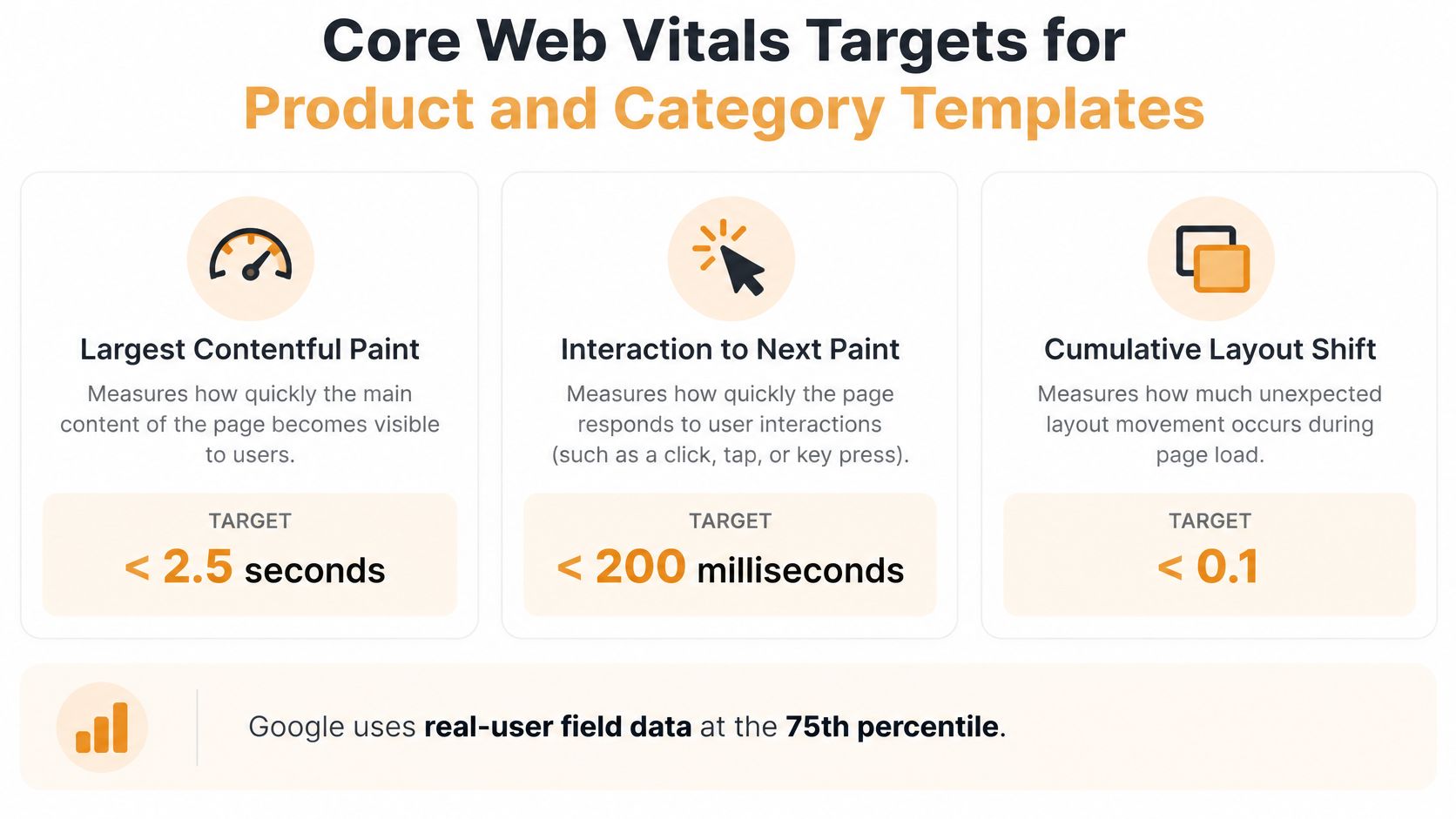
A fast homepage doesn’t establish that your store performs well. Product pages may carry review software, personalization tools, and image galleries that the homepage never loads.
Diagnose by template, not overall score
- Choose a commercially important template. Prioritize poor field performance where shoppers already arrive and purchase.
- Identify the failing metric. Use Search Console and available field data, segmented by page type and device.
- Trace the browser cause. Inspect a performance recording in Chrome DevTools rather than guessing from a score.
- Deploy a focused change. Keep unrelated redesign work out of the release so you can judge the result.
- Verify real-user improvement. Allow field reporting to incorporate post-release visits before declaring success.
For LCP, confirm which element is largest. Serve an appropriately sized product image, make it discoverable early, and don’t lazy-load the primary above-the-fold image. Preloading the wrong image can waste bandwidth.
For INP, inspect variant selection, filters, and add-to-cart interactions. Remove unused chat or personalization tags, then investigate remaining long main-thread tasks. Deferring a script won’t help if it still monopolizes the browser during a shopper’s interaction.
For CLS, reserve space for reviews, recommendations, banners, and media. Test both initial loading and later interactions.
A better lab score is diagnostic evidence, not proof that customers now have a better experience.
Validate on mid-range phones and constrained mobile connections. Keep image detail good enough for shoppers to inspect fabric, construction, and color.
Buying Guides and Category Content That Win AI Citations
Product-page-first SEO isn’t a complete discovery strategy. In The HOTH’s analysis of five ecommerce catalogs, buying guides and blog posts represented about 30.2% of cited URLs but generated 61.9% of AI citations, while product pages represented 25.1% of cited URLs but generated 6.4% of citations.
That limited sample isn’t a universal forecast. It is a useful reason to test decision-support content rather than assuming that more product descriptions will produce broader AI visibility.
Give each page a distinct job
| Page type | Customer question | Content responsibility |
|---|---|---|
| Buying guide | How should I choose? | Explain criteria, trade-offs, and evidence |
| Category | Which suitable options can I compare? | Define the assortment and provide useful filters |
| Product | Is this the right item to buy? | Provide verifiable details and a clear offer |
For the apparel store, a guide on choosing running shoes for flat feet should explain fit considerations and compare relevant product characteristics. It shouldn’t diagnose a medical condition or promise that a shoe will resolve pain.
Link the guide to a suitable category and eligible products. Link from the category back to the guide where shoppers may need help deciding. This creates a practical route from uncertainty to comparison to purchase.
Publish evidence, not interchangeable summaries
A useful guide needs:
- Named selection criteria: Explain why width, intended activity, materials, or other attributes matter.
- Original comparisons: Use documented testing where available, and distinguish tested observations from manufacturer specifications.
- Accountable commentary: Identify the author or reviewer and their relevant expertise.
- Commercial maintenance: Replace unavailable recommendations and keep product links accurate.
Generic AI-written articles that merely rearrange familiar advice don’t add evidence. Excellorix’s guidance on unique SEO content helps frame the editorial standard, while AgentGrown’s guides to agent-powered SEO can support workflow planning without replacing human product judgment.
Keep category descriptions concise and specific. Explain who the assortment serves, what separates the options, and which filters help narrow the choice. Put longer decision support below the grid or in the linked guide rather than delaying access to products.
Editorial test: If you removed the store’s name, would the guide still contain anything a competitor couldn’t publish unchanged?
International Ecommerce Sites Without Duplicate Market Pages
Choose a market URL structure before translating the catalog. Country subfolders simplify management within an existing site. Subdomains allow more operational separation, while separate country domains require independent maintenance and more coordination across properties.
None of these structures compensates for weak localization. Choose the arrangement your team can consistently operate, and avoid changing it just because another retailer uses a different model.
Localize the offer, not just the currency
Each market page should communicate the relevant language, price, currency, tax presentation, delivery conditions, and returns information. Its product feed must describe the offer available in that market.
Translate product copy, category descriptions, and size guides using human review or reviewed machine output. Apparel requires particular care with sizing terminology and measurements. A customer shouldn’t have to infer whether a size label follows their local convention.
Use hreflang to associate equivalent language-region pages. Include self-references and reciprocal annotations, and reference equivalent products rather than sending every alternate to a market homepage. Sitemap annotations can make maintenance easier across a large catalog.
Launch markets through a controlled rollout
- Rank target markets by commercial opportunity. Consider current revenue, customer demand, fulfillment capability, and localization costs.
- Choose a maintainable URL structure. Document ownership of content, inventory, and technical configuration.
- Map representative alternate pages. Test category, product, unavailable-item, and size-guide relationships before scaling.
- Submit market-specific sitemaps. Include intended canonical, indexable URLs.
- Inspect indexing by market. Use the appropriate Search Console properties and URL filters to identify unexpected exclusions.
Don’t automatically canonicalize every regional page to the original market. For localized pages intended to rank independently, use consistent self-canonicals and alternate annotations. If pages don’t justify independent indexing, make that decision explicitly rather than sending conflicting signals.
Check launch readiness with a short list:
- Local discovery: Each target market has useful indexable categories.
- Offer consistency: Local pages and feeds agree.
- Working alternates: Language switching opens the equivalent page.
- Accessible URLs: Visitors and crawlers can access market pages without forced location redirects.
- Reviewed content: Local terminology and sizing instructions have been checked.
Measure Organic Revenue and Pick Your First Three Fixes
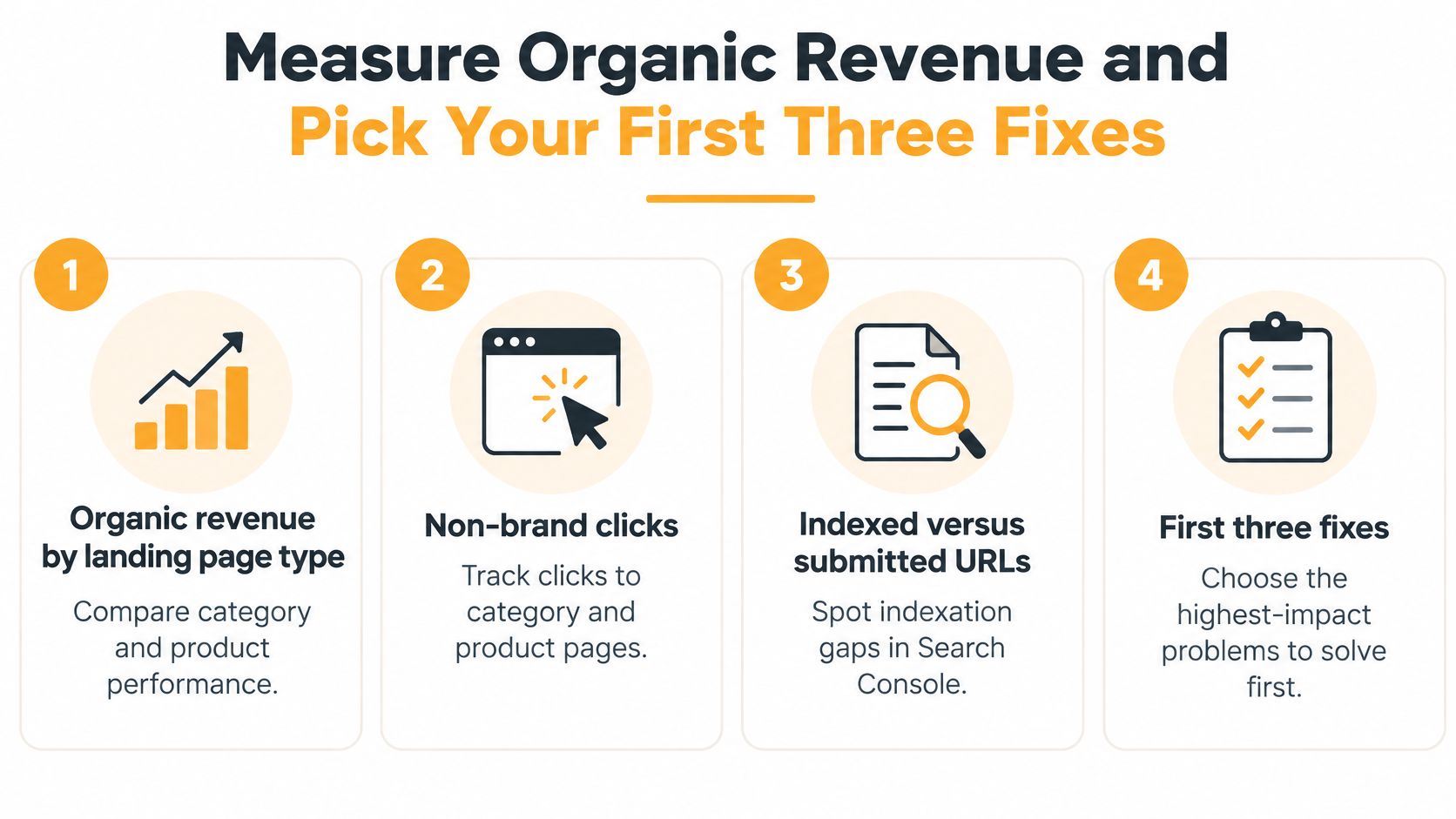
Report organic revenue by landing-page type, non-brand category and product clicks, indexed versus submitted URLs, rich result impressions, and field performance by template. Track guide-assisted conversions and AI citations alongside those commercial measures, not instead of them.
Validate purchase events before evaluating results. Excellorix’s guide to conversion tracking in Google Analytics provides a starting point for checking the measurement setup.
Choose fixes you can verify
- Repair the weakest revenue-critical template. Compare post-release field performance with the baseline, while monitoring add-to-cart behavior.
- Resolve terminology gaps in internal search. Check whether no-result rates fall and relevant categories gain non-brand clicks.
- Publish a focused buying guide. Track citations, qualified referral visits, and assisted purchases. Citation growth without commercial engagement isn’t enough.
For the hypothetical apparel store, these are testable starting priorities, not a universal ranking. A blocked category template or broken purchase tracking would take precedence.
Read revenue alongside branded search demand, promotions, inventory, and pricing changes. Don’t automatically credit SEO implementation for a rise in brand searches caused by another campaign. Record release dates so your team can distinguish changes in visibility from changes in conversion.
Our SEO process follows SEO audit and opportunity analysis, SEO strategy development, implementation, and SEO optimization and scaling. That sequence keeps the work tied to diagnosed opportunities rather than an expanding checklist.
Excellorix offers a free ecommerce audit reviewing your acquisition channels, conversion performance, retention setup, and store experience, then outlining the biggest revenue opportunities and what a customized growth plan would look like. Visit Excellorix to schedule a free ecommerce strategy call with our Raleigh team and discuss which catalog, content, and performance fixes deserve priority.