Skip to content



The most popular advice on how to optimize Google Ads still starts with bids. Raise the target, switch the strategy, and watch the dashboard. That advice fails more accounts than it saves. A weak headline, a page that doesn’t match the ad, or a conversion action that counts cheap form fills will burn budget no matter how clever the bid is. Platform ROAS makes the problem worse, because it often credits branded searches and people who were already going to buy.
Treat three levers as the work: relevance, conversion data quality, and incremental profit. Bids come last, after those three are honest. The checks below are what a senior paid media manager looks at first, and how long a fair test takes.
Table of Contents
- Diagnose the Failing Metric Before Touching Bids
- Structure Campaigns Around Tight Search Intent
- Feed Bidding Clean Conversion Data
- Test One Variable at a Time with Clear Decision Rules
- Measure Incremental Profit and Clean Your Data
- Pick Your Next Test This Week
Diagnose the Failing Metric Before Touching Bids
Raising bids on a relevance problem is the most common expensive mistake. The auction already prices weak ads poorly. Paying more for the same mismatch just buys more of the wrong clicks.
Run a 30-day check before you touch a bid. Pull the search terms report and compare CTR, impression share, conversion rate, cost per acquisition, and revenue or ROAS. Note the single metric that deteriorated first. Then match the symptom to a cause, and pull only that lever.
| Symptom | Likely cause | First lever to pull |
|---|---|---|
| Low CTR with high impressions | Keywords and ad copy too broad | Tighten ad groups and rewrite headlines around the query |
| Good CTR but high cost per conversion | Landing page does not continue the ad promise | Review the landing page against the ad message and offer |
| Impression share lost to budget | Campaign capped on proven winners | Raise budget only where cost per acquisition already meets target |
| Impression share lost to rank | Bids or Quality Score too weak | Check Quality Score components before raising bids |
| Conversions up but sales flat | Form fills or unqualified leads counted | Re-point the primary conversion to qualified leads or revenue |
| Cost up, conversions flat after a bid change | Learning period or conversion lag | Hold judgment until the learning window and conversion lag have passed |
Say a B2B consultancy sees cost per lead climb after a bid increase. The search terms report shows three ad groups mixing “hire a consultant” with “what is consulting.” Rewriting those three groups around one intent each, without raising bids, is the cheaper fix. I would start there every time. A useful companion read on why Google Ads campaigns lose money walks through the same pattern of spend that never reaches a real sale.
Read Quality Score as a diagnostic, not a lever
Quality Score is a 1–10 diagnostic built from expected CTR, ad relevance, and landing-page experience. Google’s Quality Score guide rates each component “Above average,” “Average,” or “Below average” by comparing the keyword with other advertisers showing for the same search during the previous 90 days. Google states the score itself is a diagnostic tool, not a direct input into the auction. Chasing the number with cosmetic edits doesn’t change the auction. Fixing the experience can lift expected CTR, relevance, and what happens after the click at the same time.
Google’s component definitions map the three signals onto the full path.
- Expected CTR: how likely someone is to click when the ad appears. A low rating means the headline and offer aren’t specific enough for a high-intent query. Sharpen both to the exact search.
- Ad relevance: how closely the ad matches search intent. Below average usually means keywords, ad groups, and headlines are loosely connected. Split the group by intent and mirror the keyword in the headline.
- Landing-page experience: whether the destination is relevant and useful after the click. Below average calls for content that matches the query, a clearer call to action, stronger mobile usability, and a less frictional path to conversion.
Practical rule: Don’t restructure a campaign over a two-day dip. Component ratings are comparative and sit on a 90-day window, so a short swing isn’t a new strategy.
Pick the weakest component this week and fix only that one. Pair the rating with impression share, actual CTR, conversion rate, cost per acquisition, and revenue or ROAS, then decide.
Structure Campaigns Around Tight Search Intent
A campaign that mixes brand, research, and ready-to-buy queries will look healthy in the aggregate and hide the part that’s losing money. Split the work by goal first.
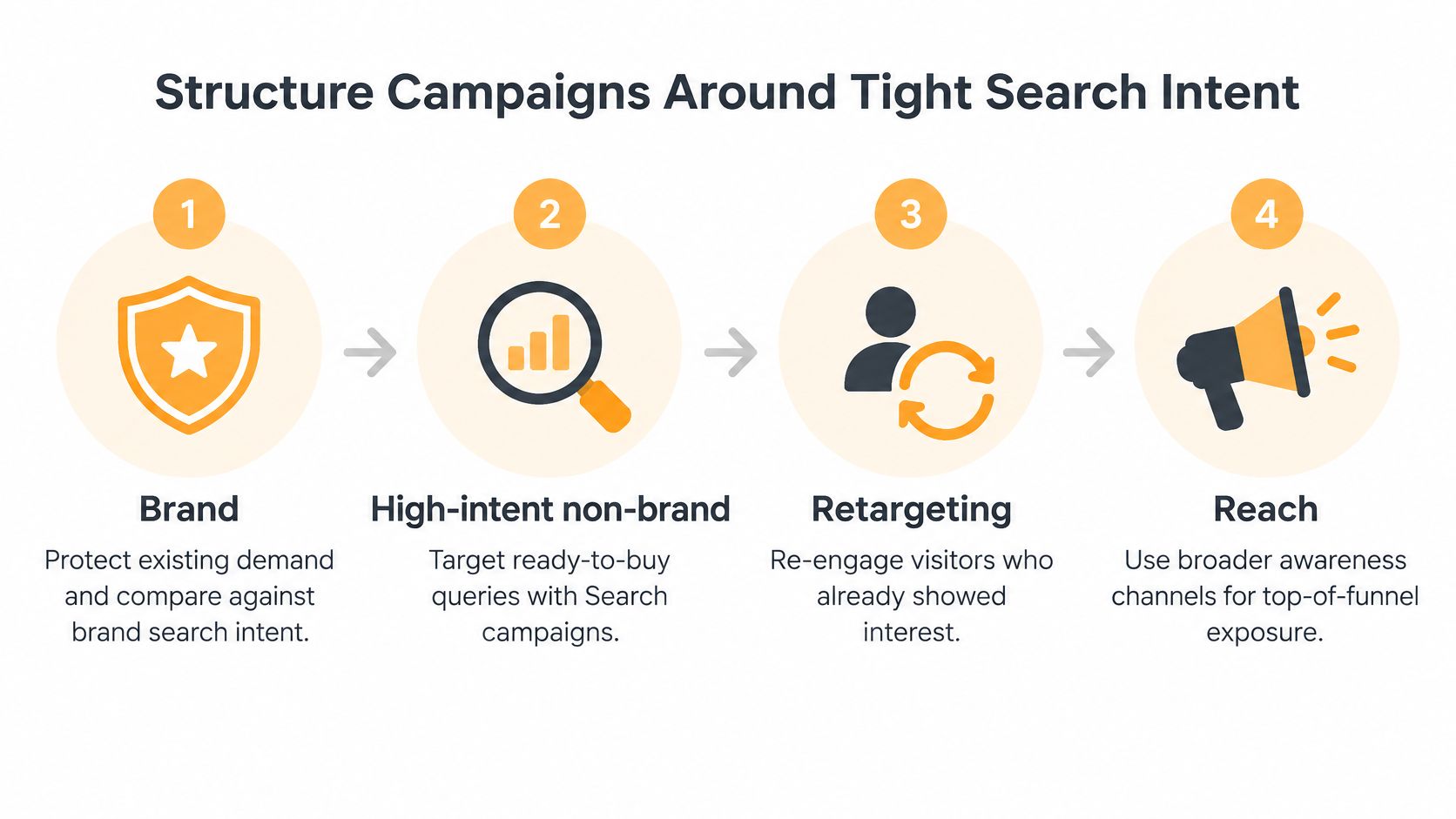
- Sort campaigns by goal. Keep brand, high-intent non-brand, retargeting, and reach in separate campaigns. Brand traffic is cheap and already warm, so it will flatter a blended ROAS and hide a weak non-brand campaign.
- Match the campaign type to the goal. Use Search for high-intent queries, Shopping when you have a product catalog, and Performance Max or YouTube when the job is broader reach. Forcing one type to do every job wastes the budget that should be reserved for people who are ready to act.
- Build each ad group around one intent. Use a small set of closely related keywords so every ad in the group can speak to that query. A single theme beats a pile of loosely related terms, because the headline can be specific instead of generic.
- Write ads that echo the search and the offer. If someone searches “retinol serum for acne,” the headline should say retinol and name the outcome, not “shop skincare.” Specific copy filters out people who wanted something else.
- Review search terms weekly. Add irrelevant queries as negatives at the ad group, campaign, or account level. Informational modifiers and “free” queries belong on that list when you sell a paid product.
- Keep brand and non-brand budgets separate. Otherwise brand clicks subsidize non-brand waste, and you can’t tell which budget to cut.
- Send each ad group to a page that matches its intent. The page has to continue the promise in the ad, including the product, the offer, and the next step. A landing page built for the ad is the practical check, not the homepage.
Say a DTC skincare brand was sending both “retinol serum” and “anti-aging cream” into one ad group and one generic page. Splitting them into separate ad groups, with separate headlines and separate pages, gave each query a page that answered it. Conversion rate moved in both groups because the click finally landed on the product people asked for.
Close the audit with one question per ad group. Could a stranger tell, from the ad alone, what that group sells? If the answer is no, the group is still too wide.
Feed Bidding Clean Conversion Data
Automation bids toward whatever you label a conversion. If that label is a page view or a duplicate form fill, the algorithm will find more of those, cheaply, and call it a win.
Start with one commercial success metric: qualified leads, completed purchases, or conversion value. Set only reliable actions as primary conversions for bidding. For lead generation, connect website events, phone calls, CRM stages, and offline-qualified leads. Google’s conversion management docs support importing offline click and call conversions, conversion adjustments, conversion values, and goal grouping, so bidding can chase revenue quality instead of inexpensive form fills.
Before you change a strategy, write down a baseline for CPA, ROAS, conversion rate, lead-to-opportunity rate, and revenue per conversion. Then use the volume rules as a go or no-go. Google recommends at least 30 conversions in the previous 30 days for a bidding experiment. Value-based bidding experiments need at least 50 conversions in 30 days and at least two distinct non-zero conversion values.
| Bidding test | Conversion requirement | Timing rule |
|---|---|---|
| Maximize Conversions vs Target CPA | At least 30 conversions in the previous 30 days | Allow 14 days or 1 to 3 conversion cycles to ramp, then run at least 30 more days |
| Maximize Conversion Value vs Target ROAS | At least 50 conversions in 30 days and 2 distinct non-zero conversion values | Same ramp and run rule; include data only after 90 percent of conversions report |
Two ways a clean test still gets ruined
Allow 14 days, or one to three conversion cycles, for ramp-up. Then run uninterrupted for at least 30 additional days. Exclude recent dates until at least 90% of conversions are reported. Change one material variable, such as Maximize Conversions versus Target CPA, and hold targeting, creative, budget, and the landing page constant.
The main pitfall is judging performance during learning or before conversion lag resolves. The second is optimizing to duplicate, low-intent, or unqualified conversions, which teaches automation the wrong objective.
Say a clinic counted clicks on the appointment page as conversions. Smart bidding found more of those clicks, cost per “lead” fell, and the calendar stayed empty. Bidding only stabilized after the primary action switched to a booked consultation imported from the CRM. If Ads, analytics, and the CRM disagree, reconcile conflicting conversion numbers before you trust either total. The same discipline applies when you wire conversion tracking in Google Analytics so the event Ads bids on is the event the business wants.
Test One Variable at a Time with Clear Decision Rules
A week where you change the bid strategy, the headlines, the match types, and the landing page isn’t a test. It’s a new campaign with no control, and you won’t know which change moved the number.
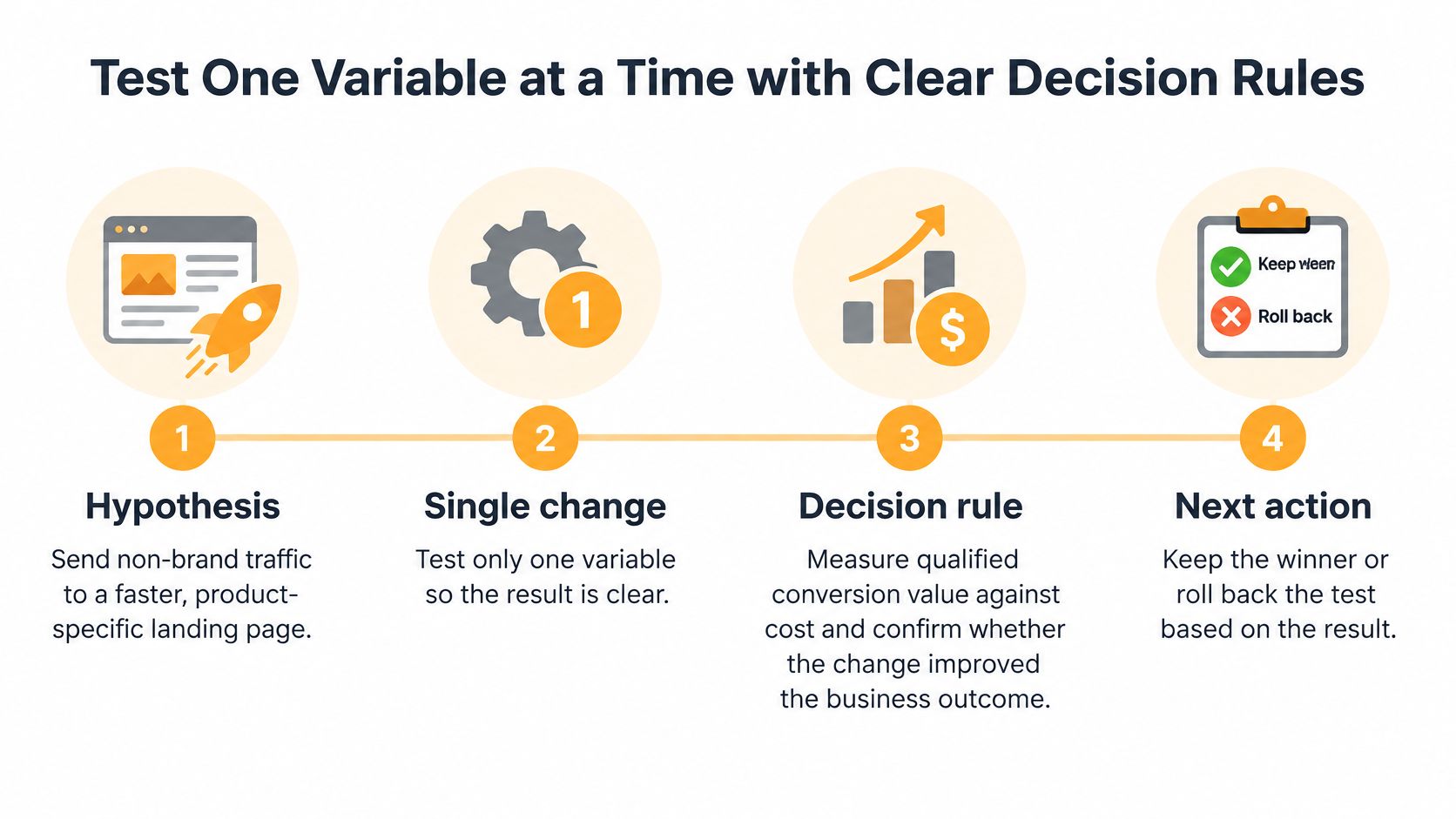
Write a hypothesis you could prove false, tied to a business outcome. A copy you can reuse: “Sending non-brand traffic to a faster, product-specific landing page will raise qualified conversion value without increasing target CPA.”
Hypothesis. Name the audience, the change, and the business result you expect. “It might do better” isn’t a hypothesis, because you can’t fail it.
Single change. Build a control and a treatment. Split traffic or budget. Change only the variable under test, whether that’s bid strategy, landing page, match type, or an audience signal. Google’s experiments guidance is built to isolate the treatment while other variables stay constant, so you can compare it with the base campaign.
Decision rule. Pick the metric before launch. Use incremental conversions at equal spend, lower CPA at equal volume, or higher conversion value and ROAS at a comparable budget. CTR is a poor judge. An ad can win more clicks and still lose lead or purchase quality. For value-based bidding, decide on conversion value and ROAS, not conversion count. When conversion delay is material, Google recommends running the experiment for at least 4–6 weeks.
Next action. Promote the treatment only when it beats the predeclared metric at a confidence level you can live with operationally. Document the result. Point the next experiment at the largest remaining constraint.
The usual failures are changing ads, keywords, budgets, and pages in the same week, stopping inside the first 14-day learning window, and ignoring conversion lag.
Apply the same rule to creative. Run two responsive search ads in one ad group, each with a different offer, and rotate them evenly. Judge the winner on conversion rate and cost per conversion, not on which ad collected more clicks.
Measure Incremental Profit and Clean Your Data
Platform ROAS answers a softer question than the one finance asks. It tells you which clicks Google can attach to a conversion. It doesn’t tell you which of those conversions would not have happened without the ad.
Attributed value over-credits branded searches, returning customers, and people already close to purchase. Google is expanding campaign-level incrementality experiments and lowering budget requirements, a shift Google’s measurement announcements frame as a move from attribution toward causal measurement. Compare incremental profit per dollar, not conversion value divided by spend, and separate first-time buyers from existing customers.
A holdout that brand ROAS can’t survive
Validate with a geo-holdout or a platform experiment, and leave it running until each arm has enough conversions for the gap to stay stable. Say a brand pauses a slice of branded Search in a holdout region. Most of those sales still arrive through organic search. Branded ROAS looked excellent because the campaign was taking credit for demand it didn’t create. Cutting that budget and moving the spend into non-brand queries can grow the business even while the remaining brand campaign’s ROAS falls. Scale spend only when incremental CAC or incremental ROAS beats the company target.
A clear set of paid search performance insights helps you separate reported return from the profit that showed up in the bank.
Consent and match quality move the bids
Privacy loss can look like a performance collapse. In the EEA and the UK, Google’s Consent Mode can model conversions when people decline cookies, and advanced setups send privacy-preserving signals that estimate conversions you would otherwise miss. Enhanced conversions use hashed first-party data to improve what you can observe and to support automated bidding. That only helps when consent language, event definitions, and the CRM feedback loop are designed together.
Before you cut a campaign, check five signals.
- Consent rate: a drop here shrinks observed conversions without a real drop in demand.
- Modeled versus observed mix: a sudden jump in modeled share means the tag or the consent banner changed.
- Enhanced-conversion match quality: weak matching starves value-based bidding of the customers who bought.
- Offline-import latency: late CRM stages teach the bidder yesterday’s leads.
- Revenue reconciliation by market: Ads, the CRM, and finance should tell the same story before you scale.
Put those checks on a marketing analytics dashboard you open before any budget meeting. Better first-party data can improve bidding without a higher media bill. Dirty data cannot.
Pick Your Next Test This Week
Three moves cover the next seven days. Do them in order, and don’t add a fourth.
- Name the first metric that slipped. Pull the search terms report and the last 30 days of CTR, impression share, conversion rate, cost per acquisition, and revenue. Match that one symptom to its likely cause, and fix only that cause. A free campaign audit that reads the existing account, competitors, and audience data is the fastest way to see the gap if the account is already tangled.
- Launch one experiment. Write the hypothesis, change one variable, and lock the decision metric before traffic splits. Leave it alone until it clears the conversion volume for that bid test and has run long enough that conversion lag isn’t still rewriting the result. Paid campaigns can generate results within the first few weeks once structure and conversion tracking are in place, which is a reason to wait out the window instead of restarting it.
- Audit the data before you scale. Check consent rate, enhanced-conversion match quality, and whether offline imports reconcile to revenue. Strategy, ads, SEO, design, and CRO belong under one roof when the constraint might be the page or the offer rather than the bid, and the work should stay accountable to one number. Keep a short log of each result so the next test aims at the largest remaining constraint, not at whatever moved in yesterday’s dashboard.
Judge every change against incremental profit, not against the number the platform reports.
If you want that diagnosis done on a live account, Excellorix builds revenue-driven growth systems that cover Google Ads structure, conversion tracking, landing pages, and the tests that follow. We look at relevance, clean conversion data, and incremental profit before we touch a bid. Visit Excellorix to start with a campaign audit and a plan tied to one commercial number.