Skip to content



Your store looks healthy. Products are live, collections look polished, and checkout works when you test it. Yet organic sales have stalled, and your team can’t tell whether the problem is visibility, product data, or shoppers struggling with the mobile experience.
Technical SEO for ecommerce is a revenue allocation problem. You’re deciding which pages deserve search-engine attention, which product details need to stay consistent across shopping surfaces, and which template fixes can remove friction from purchasing. A useful audit connects those decisions to your catalog and customers, rather than treating every warning as equally urgent.
Table of Contents
- Why Technical SEO Breaks Differently in Ecommerce
- How Ecommerce Site Architecture Shapes Crawling
- Controlling Faceted Navigation and Pagination
- Canonical Signals and Duplicate Product Paths
- Product Structured Data and AI Shopping Visibility
- Core Web Vitals and Template-Level Performance
- Choosing Tools and Your Next Audit Step
Why Technical SEO Breaks Differently in Ecommerce
Consider a growing clothing store. The merchandising team adds seasonal collections, shoppers filter by size and color, and marketing sends visitors through campaign-specific links. Everyone has a reasonable business goal, but those activities can create competing routes to the same inventory.
Nothing necessarily looks broken. A shopper can still find a jacket, select a size, and buy it. The technical question is whether search engines can discover the right jacket page, understand its relationship to the collection, and distinguish useful landing pages from repetitive alternatives.
Templates turn local decisions into catalog-wide problems
A template is the shared layout and code behind a type of page, such as a product or category page. That makes templates valuable places to investigate: a problem in a shared component may affect an entire group of commercially important pages.
For example, suppose a mobile product template omits information that the desktop version displays. Editing individual product descriptions won’t address that underlying implementation. Similarly, rewriting collection copy won’t resolve uncontrolled filter URLs.
The practical lesson is to organize technical work around page families and commercial roles, not just individual warnings.
Practical rule: Before fixing an issue, identify the affected template, the products or categories it supports, and the shopper action you’re trying to protect.
A functioning storefront isn’t the same as a discoverable catalog
Keep these distinctions clear:
- Crawling means a search engine requests a page.
- Indexing concerns whether the search engine retains that page for potential search results.
- Product eligibility concerns whether product information meets the conditions for a particular shopping presentation.
- Purchasing performance concerns what happens when someone uses the store.
These aren’t interchangeable outcomes. Your team needs architecture, URL controls, canonical signals, structured product data, performance measurement, and monitoring tools that support the appropriate outcome.
The business objective isn’t more indexed URLs. It’s making worthwhile inventory discoverable and giving qualified visitors a usable route to purchase.
How Ecommerce Site Architecture Shapes Crawling
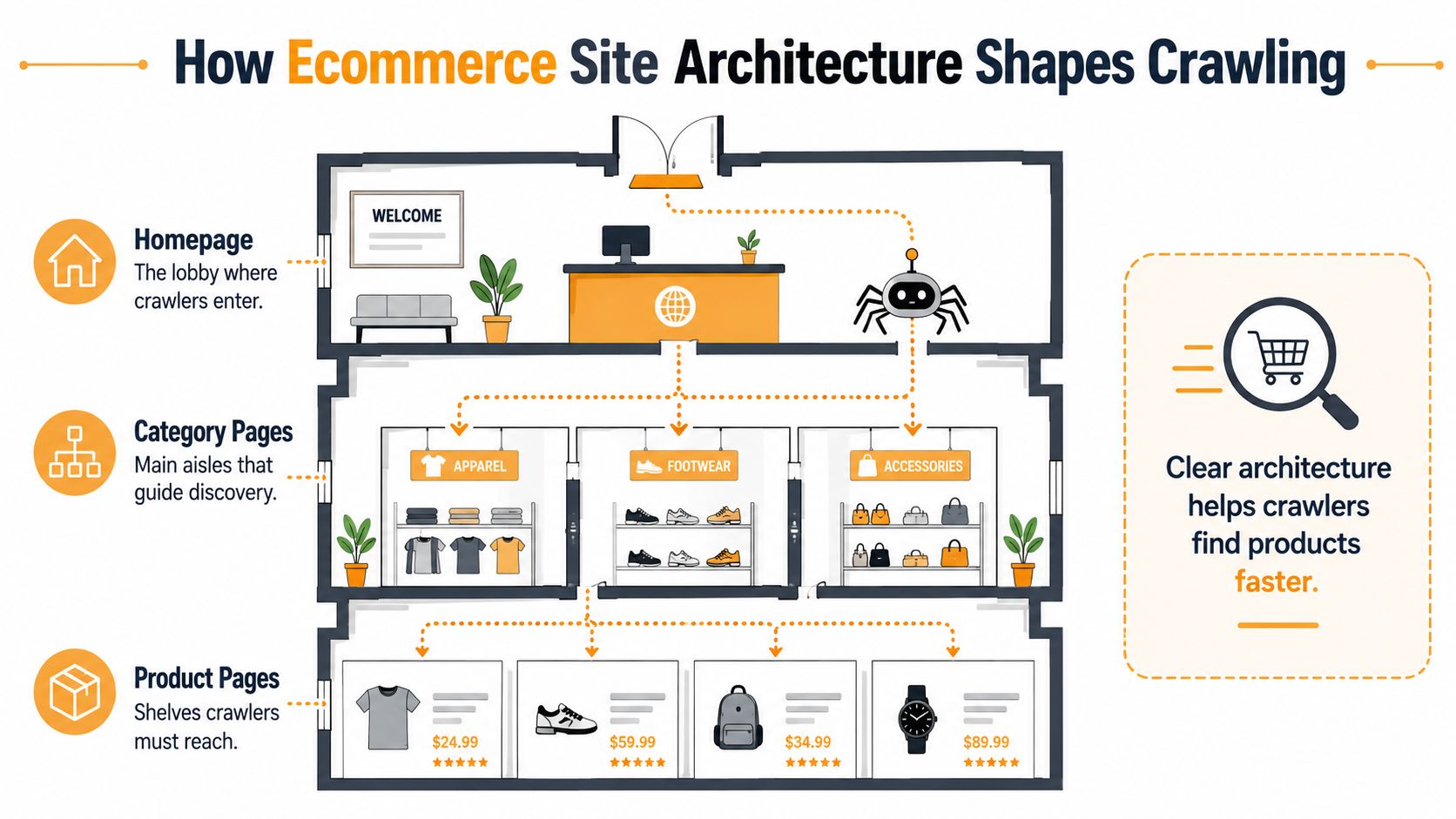
Think of your store as a building. The homepage is the lobby, category pages are the main aisles, and product pages are the shelves. A beautiful shelf isn’t very useful if the floor plan gives visitors no sensible route to it.
Site architecture is that floor plan. Google’s ecommerce guidance on site structure, navigation, and structured data emphasizes deliberate navigation and internal links to communicate page relationships and importance.
The hierarchy below illustrates the relationship.
Build paths around how people shop
Start with your category structure. A footwear store might organize products by activity, then provide more specific collections where the assortment justifies them. The point isn’t to create the deepest possible hierarchy. It’s to make relationships understandable.
Use internal links intentionally. A category should lead to relevant products, while a product should provide a sensible route back to its shopping context. Avoid letting temporary campaigns become the only meaningful route to important inventory.
A useful architecture review asks whether the navigation reflects the store’s current priorities, rather than an assortment the business no longer sells.
Check the mobile version as the primary storefront
Google primarily uses the mobile version of a page for indexing and ranking. Treat mobile parity as a requirement for essential information, not a demand that desktop and mobile look identical.
A compact mobile layout can work well. What matters is whether it preserves product information, images, internal links, structured data, and canonical signals. Don’t assume a desktop inspection proves those elements are available on mobile.
Review category and product templates with these checks:
- Navigation paths: Can visitors and crawlers follow links from relevant categories to products?
- Product information: Does mobile retain the essential descriptions and purchasing details?
- Technical signals: Are canonical references and structured data consistent across device versions?
- Rendered content: After the page loads, are the expected links, images, and information present?
Bring merchandising and development into this review together. Merchandisers know which collections deserve prominence; developers can verify whether the mobile implementation exposes those relationships reliably.
Controlling Faceted Navigation and Pagination
A shopper filtering jackets by material, color, and availability is doing something useful. That doesn’t mean every resulting URL deserves its own search listing.
Filters should support shopping without automatically becoming an unlimited publishing system.
The commercial importance of categories deserves attention: an analysis of 14.9 million Google Search clicks across 100 ecommerce sites found that the median site received two-thirds of its clicks from category pages, despite having approximately nine product pages for every category page.
That finding doesn’t prove every filter deserves indexing. It does challenge the assumption that product pages should always receive priority.
Decide which filters deserve a search audience
Evaluate combinations against search demand, inventory depth, margin, conversion behavior, and distinct merchandising value. A collection for women’s waterproof trail shoes may answer a stable shopping need. A temporary combination of sorting preference, narrow price range, and stock status may not.
| Treatment | Appropriate commercial role | Main consideration |
|---|---|---|
| Indexable landing page | Stable demand and a distinct, useful assortment | Support it with intentional navigation and relevant content |
| Crawlable but non-indexable page | Useful shopping functionality without a separate search purpose | Monitor whether crawler activity remains proportionate |
| Crawl-controlled combination | Repetitive or purely functional URL variations | Preserve access to valuable inventory through other paths |
Crawl budget describes the attention and resources a search engine allocates to requesting URLs. Treat it as something to investigate, not an automatic explanation for every indexing problem.
Don’t remove a useful landing page merely because its URL began life as a filter.
The embedded video provides additional context for the workflow.
Keep pagination separate from filter decisions
Pagination divides an assortment into successive pages. It serves a different purpose from a sort parameter that merely rearranges the same products.
Before restricting paginated URLs, check whether products deeper in the collection have other discoverable routes. A cleanup that leaves inventory difficult to reach is a poor trade.
Validate changes using Search Console and server logs, which record requests to your infrastructure:
- Search Console: Review indexed URL growth, excluded pages, and category search performance.
- Log analysis: Inspect which parameter combinations crawlers request and how frequently.
- Commercial reporting: Check whether affected landing pages contribute qualified visits and purchases.
Make changes by URL pattern, then evaluate the outcome. Avoid applying a store-wide directive before understanding which combinations carry genuine demand.
Canonical Signals and Duplicate Product Paths
A canonical tag isn’t a crawl-control switch. It identifies the preferred URL for a page, but search engines may still request alternative URLs before processing that signal.
Think of canonicalization as choosing the official address for a product. If your navigation, sitemap, and page templates keep providing different addresses, you’re making that preference harder to interpret.
Make the preferred address consistent
Consider a jacket accessible through multiple collection routes, alongside tracking parameters and selectable variants. Your first task is to decide which differences represent the same page and which deserve independent treatment.
Don’t consolidate meaningful variants blindly. Equally, don’t assume that every alternative path represents a distinct product experience worth indexing.
Use a layered approach:
- Choose the intended destination: Identify the preferred product URL and confirm that it loads the expected content successfully.
- Align internal links: Point routine navigation and product recommendations toward that destination.
- Clean the sitemap: Include intended canonical URLs rather than alternate routes.
- Standardize parameter handling: Apply consistent conventions instead of allowing each integration to generate its own patterns.
- Review crawl controls: Where appropriate, use server-side or edge rules to limit low-value combinations without obstructing essential pages.
As established in the architecture guidance, consistency across these mechanisms matters more than treating any tag as a complete solution.
Audit the journey, not just the tag
Open a representative product through its category, internal search, recommendations, and campaign links. Compare the resulting addresses, canonical references, and final destinations. Then inspect whether the mobile template uses the same intended signals.
A canonical target should be a deliberate destination, not an error page or an unnecessary chain of redirects. For discontinued products, decide whether the page still serves a useful purpose or whether another lifecycle treatment better reflects the inventory.
Avoid confusing URL duplication with content quality. Consolidating repeated routes doesn’t make an otherwise undifferentiated product description useful; the distinction between unique content and duplication deserves its own editorial review.
Audit note: A correct canonical tag is evidence of intent. Consistent links, sitemap entries, destinations, and template behavior make that intent easier to trust.
Record the policy by page type. Developers need a repeatable rule for new products and collections, not a spreadsheet of isolated repairs.
Product Structured Data and AI Shopping Visibility
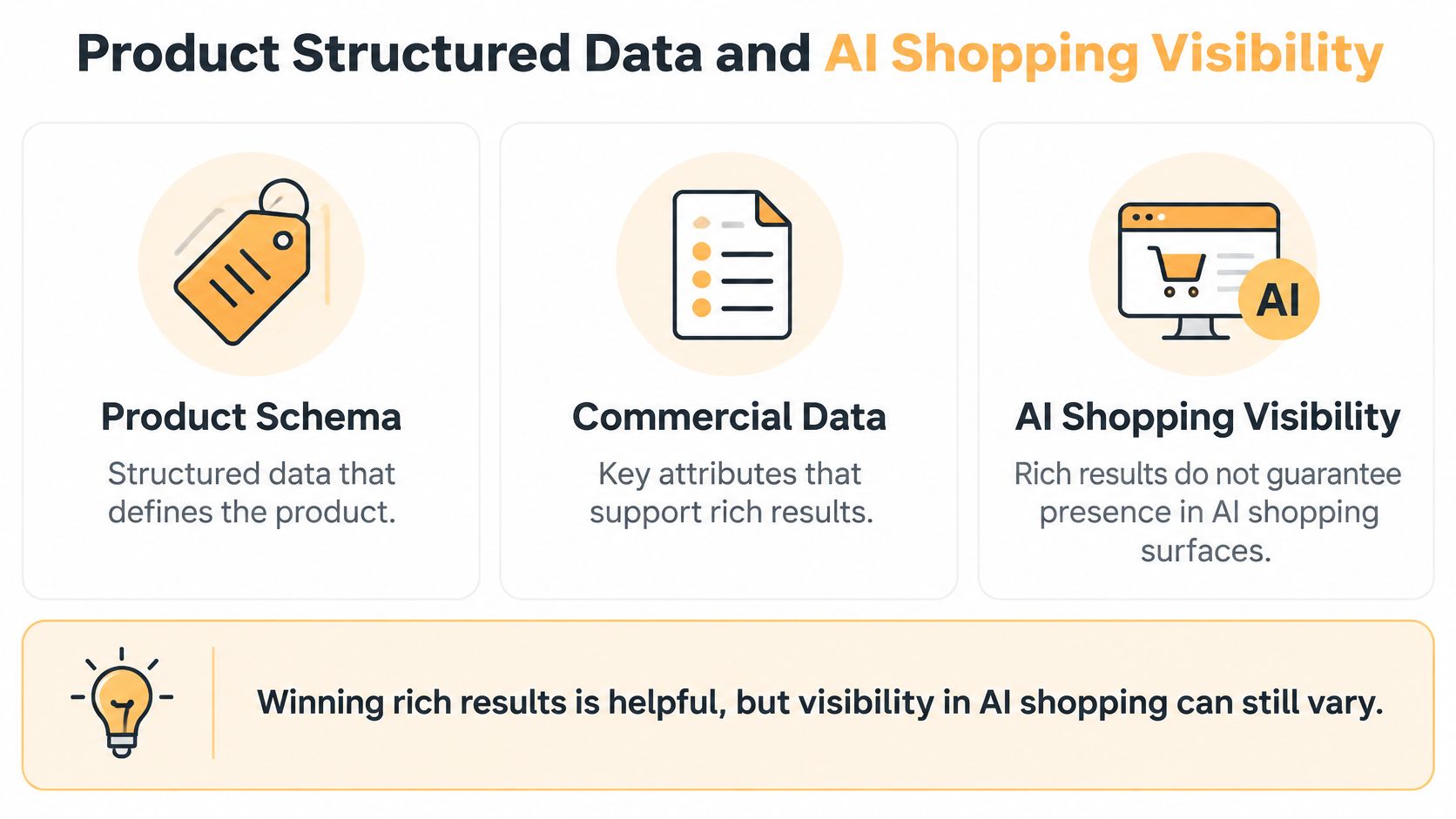
Structured data is machine-readable information that describes a product and its offer. Think of it as the product’s organized specification sheet, while the visible page is the shopper-facing presentation.
Neither should operate independently of the commercial systems supplying price, stock, seller details, and policies. Your audit should follow the information from its source through the page, markup, and Merchant Center feed.
This relationship is easier to understand as a connected data pipeline.
Separate indexing from shopping inclusion
An analysis of more than 2 million product listings comparing conventional shopping results with AI Mode found averages of 27.8 products in traditional results when products appeared, versus 3.9 product cards in AI Mode; only 1.28% of traditional-result products also appeared in AI Mode for the same query and day, while the lead seller differed in 49.6% of matched cases and displayed prices differed in 38.1%.
Those observations show different selections within the analysis, not a guaranteed explanation of how either system chooses products. They don’t establish that adding more schema will secure inclusion.
The practical conclusion is narrower: traditional visibility isn’t a reliable substitute for monitoring AI shopping visibility.
Audit the commercial facts together
Suppose a shopper selects a different jacket size and color. The visible price and availability may change. Your audit should verify that the corresponding offer information remains coherent elsewhere.
Use a product-level reconciliation checklist:
- Identity and variants: Confirm that the product, selected variant, seller, and intended landing URL refer to the same offer.
- Price and availability: Compare the visible page, structured data, and merchant feed.
- Shipping and returns: Check that the policies describe the offer accurately.
- Freshness: Establish who owns updates and how discrepancies are investigated.
Then monitor each search surface separately. Track product inclusion, displayed seller, price consistency, destination accuracy, and attributable revenue where measurement permits.
An indexed product can still be absent from a shopping presentation. An eligible product can still go unselected. Keep those outcomes distinct so your team fixes the relevant problem rather than repeatedly rewriting markup that already describes the offer correctly.
Core Web Vitals and Template-Level Performance
A polished homepage speed test doesn’t tell you whether a shopper can change a product variant without delay. Ecommerce performance needs field data, meaning measurements from real visits, alongside diagnostic testing.
The HTTP Archive ecommerce performance guidance uses the 75th percentile to evaluate experience: target LCP below 2.5 seconds, INP below 200 milliseconds, and CLS below 0.1, so that at least 75% of measured visits meet each respective threshold.
Match the metric to the storefront behavior
Largest Contentful Paint, or LCP, concerns loading the main visible content. On a storefront, oversized hero or product imagery is a useful place to investigate.
Interaction to Next Paint, or INP, concerns responsiveness. Examine the work triggered by variant selection, add-to-cart actions, reviews, chat, personalization, and tag-management scripts.
Cumulative Layout Shift, or CLS, concerns unexpected movement. Promotional banners, recommendation modules, and images without reserved dimensions can move content while someone is trying to use it.
Prioritize fixes according to the affected behavior:
- For loading: Serve appropriately sized WebP or AVIF images and preload only the true priority image.
- For responsiveness: Defer nonessential third-party scripts, split JavaScript by route, and reduce work during purchasing interactions.
- For stability: Specify image dimensions and reserve space for dynamic modules.
Platform choice changes the starting point
The HTTP Archive 2025 Ecommerce dataset, using Chrome UX Report field data, reports the following share of ecommerce origins passing all three Core Web Vitals, with mobile and desktop results shown together.
| Platform | Mobile | Desktop |
|---|---|---|
| Shopify | 76% | 76% |
| WooCommerce | 35% | 33% |
These are platform-level observations, not predictions for an individual store. Your theme, image handling, application stack, and third-party scripts still require investigation.
For Shopify teams, a template-focused speed optimization service is an implementation option when diagnosis reveals changes beyond routine merchandising controls. Whether work stays in-house or goes to a partner, require reporting on actual storefront behavior rather than a score alone.
Segment monitoring across category, product, cart, and landing-page templates, then by device, geography, and connection conditions where data permits. Use lab tests to reproduce problems and field measurements to judge the customer experience.
Connect that reporting to product views, add-to-cart, checkout initiation, and purchases. Performance work should remove purchasing friction, not merely produce a more attractive dashboard.
Choosing Tools and Your Next Audit Step
No single tool can tell you which technical fix deserves your next development slot. A crawler examines site behavior, Search Console shows Google’s reported outcomes, and analytics helps connect visits with commercial activity.
Choose tools by the question they answer. Buying overlapping dashboards won’t compensate for unclear ownership or an audit backlog that treats every finding as equally important.
Compare evidence before choosing software
| Approach | Primary audit question | Main limitation |
|---|---|---|
| Crawl tools such as Screaming Frog SEO Spider | Which URL and template patterns need inspection? | A crawl alone doesn’t establish commercial importance |
| Google Search Console | Which pages appear indexed, excluded, or visible in search? | Search reporting isn’t a complete purchasing record |
| Server-log analysis | Which URLs do crawlers actually request? | Requests don’t prove indexing or sales |
| Field performance reporting | What experience do real visitors receive? | Diagnosis still requires investigation |
| Merchant Center and feed monitoring | Does the submitted offer information remain accurate? | Feed health doesn’t guarantee shopping inclusion |
| Analytics and revenue dashboards | Which landing pages and journeys contribute to purchases? | Attribution needs careful interpretation |
Use the reports together. For example, a large set of filter URLs in a crawl becomes more meaningful when logs show repeated requests and Search Console shows unintended index growth. Commercial reporting then helps you distinguish useful landing pages from technical clutter.
A technical SEO audit checklist can provide a repeatable inspection structure, but your team should still rank findings using its own inventory, demand, and purchasing evidence.
Match the operating model to catalog complexity
For a small Shopify brand, begin with a manageable combination: Search Console, a focused crawl, performance reporting, and merchant-data checks. Add manual inspections of important customer journeys so automated warnings don’t become the entire audit.
A larger multi-category catalog may justify deeper log analysis, automated product-data comparisons, and dashboards organized by template and merchandising group. The extra complexity is worthwhile only if someone can interpret the findings and implement changes.
Assign clear responsibilities:
- SEO: Defines intended indexation and investigates search outcomes.
- Merchandising: Identifies valuable assortments, inventory constraints, and commercial priorities.
- Development: Implements template rules and validates behavior.
- Analytics: Connects changes with customer journeys and revenue reporting.
Agency-led implementation is another option alongside in-house work and specialist contractors. A practical engagement can combine SEO audits, technical remediation, Shopify development, performance tuning, and custom analytics dashboards.
Organize that delivery around Discovery, Design and Build, Launch and Optimize, and Scale and Support. Discovery establishes the commercial priorities; implementation addresses the agreed templates; launch validation checks behavior; continuing support detects regressions and catalog changes.
Start with a bounded revenue audit
This week, export your top categories and products using the commercial measures your team trusts. Group them by template, attach available field performance results, and select a manageable sample of revenue-bearing URLs for canonical and schema checks.
For each finding, record the affected template, evidence, intended change, owner, and validation method. Don’t write “fix technical SEO.” Write a task someone can complete and another person can verify.
Prioritize problems that obstruct valuable pages, misrepresent offers, or interrupt purchasing. Your next audit should end with an implementable decision, not just a longer list of warnings.
Excellorix offers ecommerce SEO audits, technical remediation, Shopify builds, performance tuning, and custom analytics dashboards. Bring your priority categories and products for a review that connects crawl access, product-data accuracy, and template performance to purchasing outcomes.