


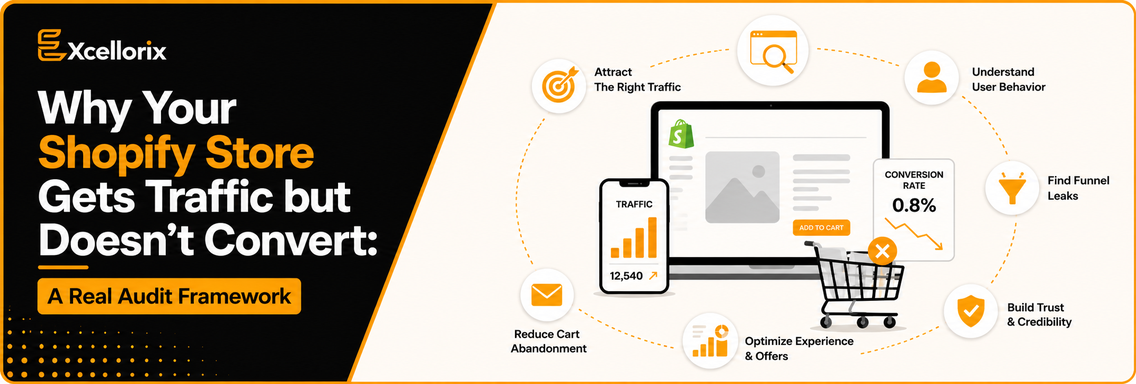
You are getting traffic. Your analytics looks active. Campaigns are running consistently. But sales are still not where they should be. If that feels familiar, you are not alone. Many Shopify store owners are dealing with the same issue. They see consistent Shopify store traffic but no sales, and it becomes difficult to understand what is actually going wrong.
In 2026, this gap has become more noticeable. Average conversion rates are around 2.8 percent, while many stores still fall below 2 percent. At the same time, rising ad costs and more cautious buyers mean every missed opportunity has a real impact.
So the real issue is not just traffic. It is what happens after someone lands on your store. This guide will walk you through a practical Shopify CRO audit framework that helps you identify where your store is losing conversions and how to fix it step by step.
Before fixing the problem, it helps to understand how it actually shows up. On the surface, everything looks fine. Visitors are coming in. Campaigns are working. Traffic is growing. But when you look deeper, the gaps become clear. Bounce rates go above 50 percent. Add to cart activity stays low. Users reach the cart but do not complete the purchase. This is where most stores struggle. They focus on traffic growth but ignore Shopify sales funnel optimization, which is what actually drives revenue.
User behavior has also changed. Most traffic now comes from mobile devices. Attention spans are shorter. Trust plays a bigger role in every decision. This leads to a simple realization. Getting traffic is easier than converting it.
Instead of guessing what might be wrong, you need a structured way to evaluate your store.
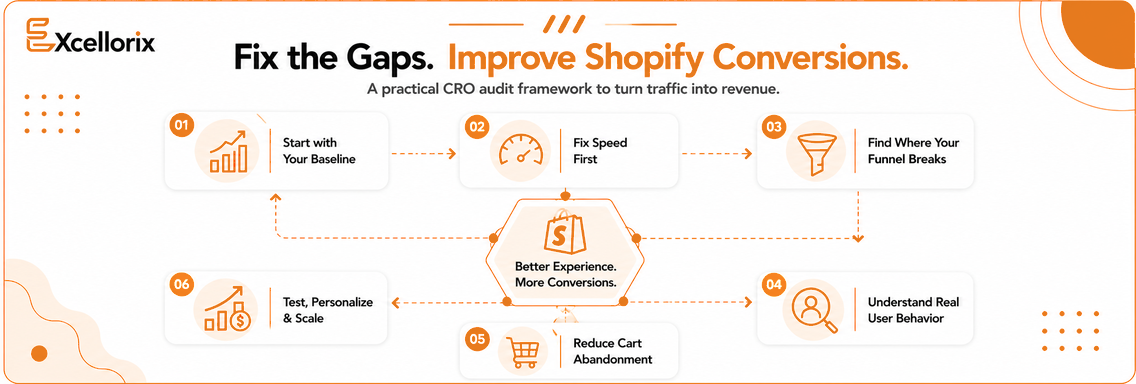
Here is a step by step framework you can use to run a proper Shopify CRO audit and improve performance.
Step 1: Start with Your Baseline Metrics
Before making any changes, understand where you stand. Look at your conversion rate and aim for at least 3 percent. Check your bounce rate and pay attention if it is above 45 percent. Review your add to cart rate and treat anything below 10 percent as a warning sign. Track your average order value as well.
These numbers help you understand where the problem begins. A high bounce rate usually points to a weak user experience. A low add to cart rate often means your product value is not clear enough.
Step 2: Fix Speed Before Anything Else
Once you understand your numbers, the next step is improving site speed. If your store takes too long to load, users will leave before exploring. This directly affects your ability to improve Shopify conversion rate. You can start with simple fixes. Compress images. Remove unnecessary apps. Use a lightweight theme.
Even small improvements in speed can reduce bounce rates and create a better experience for users.
Step 3: Identify Where Your Funnel Breaks
Once your site is fast enough to keep users engaged, the next step is understanding how they move through your store. Think of your funnel as a journey from homepage to product page to cart and then to checkout. Ask yourself if it is always clear what the next step is. Check for confusion or distractions. Make sure everything works smoothly, especially on mobile.
This is where Shopify sales funnel optimization becomes critical. If users drop off early, your messaging needs work. If they leave later, your process may feel too complicated.
Step 4: Understand Real User Behavior
At this point, it is important to look at actual user behavior instead of relying on assumptions. Tools like heatmaps and session recordings show where users click, where they hesitate, and where they leave.
Most of the time, the issue is not something major. It is small friction points like unclear buttons, cluttered layouts, or too many popups that disrupt the experience.
Step 5: Reduce Cart Abandonment
Once you understand user behavior, the next priority is fixing cart abandonment. This is one of the biggest reasons stores lose revenue. That is why focusing on ways to reduce Shopify cart abandonment should be a key part of your strategy. Users often leave because of unexpected shipping costs, long checkout processes, or lack of trust.
You can improve this by showing shipping costs early, simplifying checkout steps, and offering faster payment options. Sending abandoned cart emails can also help bring users back. Even small improvements here can make a noticeable difference.
Step 6: Use Personalization Thoughtfully
After removing major friction points, the next step is improving relevance. Customers respond better when the experience feels tailored to them. You can start with simple changes like product recommendations, bundles, or guided suggestions based on user preferences.
Personalization helps you improve Shopify conversion rate by making the buying experience more relevant and engaging.
Step 7: Test and Improve Continuously
Once your store experience feels smoother, the next step is testing what actually works. Try different headlines, clearer call to action buttons, or layout changes.
Keep what performs better and continue improving. Over time, these small changes help you consistently improve Shopify conversion rate and scale your results.
Even with the right strategy, some mistakes can still hold your store back. Adding too many apps can slow down your site. Ignoring mobile users can affect a large portion of traffic. Weak trust signals can reduce confidence. Generic product pages fail to stand out. Stopping tests too early limits growth.
Regular audits help you avoid these issues and keep improving your store.
To measure progress, focus on a few key metrics. Track your conversion rate, cart abandonment rate, and average order value. These numbers give you a clear picture of how your store is performing and how your efforts to improve Shopify conversion rate are working over time.
Getting traffic is only part of the process. Turning that traffic into revenue is what drives real growth. In most cases, the issue is not one big problem. It is a series of small gaps across speed, user experience, trust, and messaging. When you fix these step by step, results start to follow.
If you have already tried improving your store but are still seeing Shopify store traffic but no sales, a more structured approach can help. This is where combining CRO with the right SEO services can make a real difference by turning your existing traffic into consistent revenue.
Getting traffic to your Shopify store but not enough sales The issue is not always traffic it is your funnel
Book a free strategy call with Excellorix to understand what is holding your store back and how to fix it
If you are serious about closing the gap between traffic and sales this is where it starts
This usually happens when there is a gap between user expectations and the actual store experience. Slow loading speed, unclear product messaging, lack of trust signals, or a complicated checkout process are common reasons. In many cases, the issue lies in what users experience after landing on your site rather than the traffic itself.
Start by reviewing key metrics such as conversion rate, bounce rate, and add to cart rate. Then analyze your site speed, funnel flow, product pages, and checkout process. The goal is to identify friction points and improve them step by step through testing and optimization.
To reduce cart abandonment, focus on making the checkout process simple and transparent. Show shipping costs early, reduce unnecessary steps, and offer faster payment options. You can also use recovery emails to bring users back and complete their purchase.
Focus on high impact areas like improving page speed, simplifying navigation, and making call to action buttons more visible. Clear product descriptions, better visuals, and strong trust signals can help users make quicker decisions and improve conversions.
The most important part is creating a smooth and clear path from landing to checkout. Each step should guide the user naturally without confusion or friction, especially on mobile devices. If users feel unsure at any point, they are more likely to leave without completing the purchase.
Tell us about your goals—we’ll show you how Excellorix can help you get there.